Participant
January 25, 2021
Answered

Pop Up

  • January 25, 2021
  • 1 reply
  • 781 views

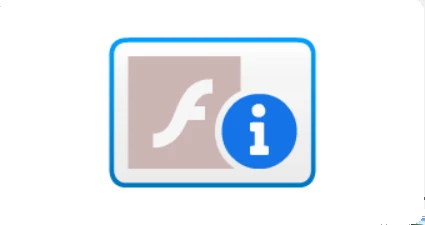
I keep getting a pop up which I can't move nor get rid of until I switch off my pc. Right click gives a menu relating to Flash Player.  Anyone had this problem?
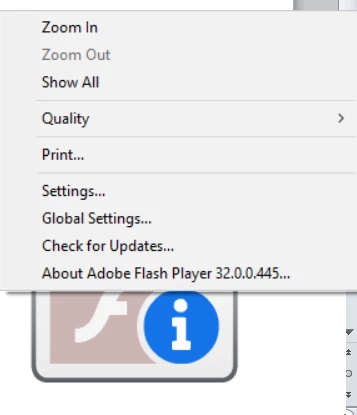


I would appreciate any ideas on how to solve this.  Screenshots attached. Many thanks

This topic has been closed for replies.
Correct answer jeromiec83223024

SmileBox seems to be the consensus for folks reporting this at the moment.  Thanks for the feedback.

1 reply

jeromiec83223024
Community Manager
Community Manager
January 25, 2021

It looks like there's a program running on your computer that embeds Flash Player.  Flash Player reached it's End of Life on December 31, 2020.  As of Jan 12, 2021, Flash Player only loads content that's explicitly allowed (this is typically used in the context of large enterprise organizations with hundreds or thousands of computers and long-term Flash dependencies). 


The icon you're seeing is letting you know that Flash Player loaded, but that the thing that it was asked to load is not allowed.  If this were happening in a browser (the intended use-case for Flash Player), clicking the button would take you to a page that explains that Flash Player is EOL and that you should uninstall. 


So, there's a program on your computer that's probably pretty old, and it uses Flash Player for *something*.  If I had to guess, I'm thinking Screen Saver or some kind of video player.  (If you figure it out, I'd love to know -- I'll add it to my list of possibilities.)


One way to figure this out would be to launch Task Manager (hit Ctrl-Alt-Del on the keyboard and choose Task Manager), then start killing things one at a time, until the weird overlay thing disappears.  Whatever you killed (that isn't Flash Player) when it disappeared is most likely the right answer.


jeromiec83223024
Community Manager
Community Manager
January 25, 2021

Also, uninstalling Flash Player at this point would be a great idea.  It might also cause that program to just throw an error message, which would give you a good idea about what *else* on your computer needs to be uninstalled. 


For convenience, here are the links to the uninstallers.


Uninstall Flash Player - Windows:
https://helpx.adobe.com/flash-player/kb/uninstall-flash-player-windows.html


Uninstall Flash Player - Mac:
https://helpx.adobe.com/flash-player/kb/uninstall-flash-player-mac-os.html


Microsoft Update for Removal of Flash Player for IE and Edge on Windows 8 and higher

https://support.microsoft.com/en-us/help/4577586/update-for-removal-of-adobe-flash-player