Participant
September 28, 2018
Question

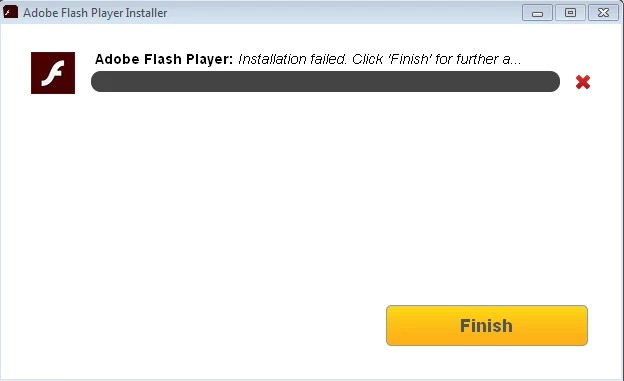
Problem in the Installing "Flash Player"

  • September 28, 2018
  • 2 replies
  • 580 views

Hello my name is Alex, i'm formatted my pc and now i cant for some reason install Flash Player

OS: Win 7 64bit

Browser: Chrome Version 69.0.3497.100
    This topic has been closed for replies.

    2 replies

    Legend
    September 28, 2018

    Chrome includes Flash Player. No need to install it. Chrome does block it, by default, for every session.

    _maria_
    Legend
    September 28, 2018

    We would need to review the installation log files to find out why it's failing.


    However, Chrome embeds Flash Player, so there is no reason to install Flash Player for Chrome.  Chrome does disable Flash by default, forcing users to enable it.  As of Chrome 69, when Chrome is closed, the user settings to allow Flash are deleted.  See Use or fix Flash audio & video - Computer - Google Chrome Help for assistance.


    To find out why installation is failing, provide the following log files:

    • FlashInstall log files saved at:
      • 32 Bit Windows: C:\Windows\system32\Macromed\Flash\FlashInstall32.log

      • 64 Bit Windows: C:\Windows\system32\Macromed\Flash\FlashInstall64.log AND

        C:\Windows\syswow64\Macromed\Flash\FlashInstall32.log (both files are required
    • Adobe_ADM.log and Adobe_GDE.log files saved at:
      • C:\Users\<YourUserID>\AppData\Local\Temp\Adobe_ADMLogs

    Upload all log files to cloud.acrobat.com/send using the instructions at How to share a file using Adobe Document Cloud​, or some other file sharing service of your choice that doesn't require user account to access.  Post the link to the uploaded files in your reply.

    Participant
    September 28, 2018
    _maria_
    Legend
    September 28, 2018

    Thank you for posting the log files.  I do see an error I'm not familiar with and will need to forward the log files to the online installer team for further investigation.

    As for the site you're attempting to view Flash on, I think there's an issue with their Flash detection.  I went to  Flash Detection In Progress... and after 'allowing' Flash and JavaScript I was able to view Flash content:

    After several seconds, the page automatically redirects to

    So one minute it detects Flash, then the next it doesn't.  I would recommend contacting the content developer for assistance.

    Google made changes (yet again) in Chrome 69 forcing users to 'allow' Flash every time the browser is launched.  When the user closes all instances of the browser, it deletes the user's selection and the next time the user launches the browser again, the user is forced to 'allow' Flash again.