
Mataa29803943
Participant
Jun 27, 2016 6:19 PM UTC
Question

Problème d'installation d'Adobe Flash Player

Bonjour,

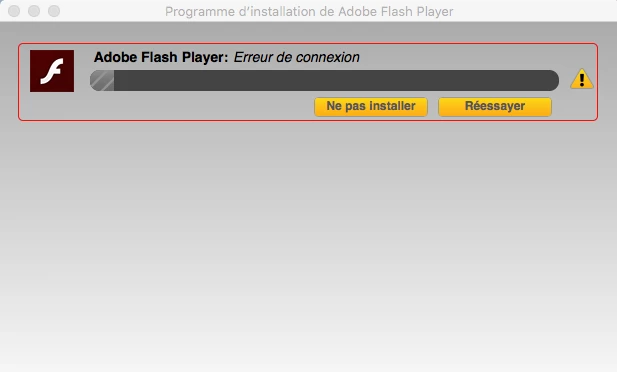
Je ne parviens pas à installer Adobe Flash Player. Au moment de l'installation du fichier complet, la connection s'interrompt. (Voir capture d'écran). J'ai essayé de refaire la manipulation en quittant safari. J'ai également supprimé les anciennes versions de Flash Player et les installateurs associés.

Mon ordinateur est un Mac Book Pro qui fonctionne sur OS X El Capitan 10.11.5

Serait-il possible de m'indiquer comment procéder?

Cordialement
This topic is closed to new replies. Start a new post to keep the conversation going.

2 replies

_maria_
Legend
Jun 28, 2016 2:19 PM UTC

I'll need to get some install log files from you to investigate. Please do the following to obtain the log files:

1. Select the Go -> Go to Folder... menu item from the Finder menu

2. Copy and paste ~/Library/Logs/Adobe_ADMLogs into the Go to Folder dialog

3. Locate the Adobe_ADM.log and Adobe_GDE.log files in the folder that appears.

4. Upload the 2 files to cloud.acrobat.com/send using the instructions saved at How to share a document

5. Post the link to the uploaded files in your reply.

Translate
Mataa29803943
Participant
Jun 28, 2016 2:34 PM UTC

Hello,

Here is the link

Shared Files - Acrobat.com

Translate