


Participant
November 14, 2017
Question

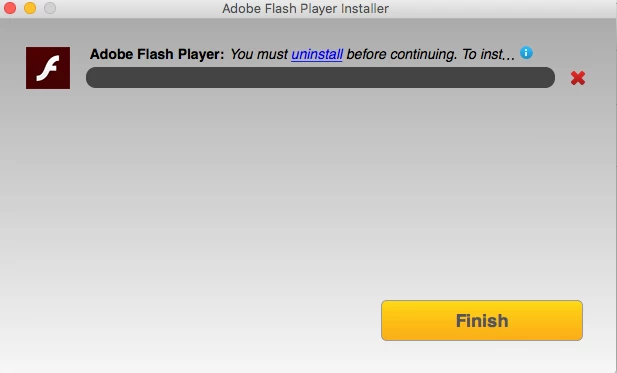
Promoted to "uninstall" doesn't indicate what

  • November 14, 2017
  • 1 reply
  • 358 views

When I click on the uninstall link nothing happens, I cannot click on the X or the i button either. I have gone through and tried to uninstall previous versions of flash and nothing works. I have tried of various web browsers. I have updated my computer and my web browsers. I need to be able to run flash on my computer to take proctored exams. What do I do?

Mac OS X El Capitan

Version 10.11.6

2.5GHz processor (Intel Core i5)

Macbook Pro
This topic has been closed for replies.

1 reply

_maria_
Legend
November 14, 2017

This error is returned when the beta version is installed and the user attempts to install a stable version without first uninstalling the beta, or vice versa.  The 'uninstall' link is supposed to launch the browser to the uninstall tech note.  The 'i' is supposed to show the entire message.  I can reproduce that neither of these is working and will notify the online installer team of this.

I'm not sure how you attempted to uninstall Flash Player, but using the standalone uninstaller will completely uninstall Flash Player, allowing you to install the latest stable version.  To perform a clean uninstall, see How to perform a "clean install" of Flash Player in Mac OS X