


CreeperEatsTNT
Inspiring
May 31, 2016
Answered

Remove gray play button

  • May 31, 2016
  • 1 reply
  • 1310 views

Hi. I had Adobe Flash Player for years, and it ran automatically, but since yesterday, a gray button with a play symbol appears whenever I want to run Flash Player. This disturbs me. I've looked around the forums and the help page but nothing. My Flash Player haves the last version and is PPAPI. I use it on Windows 10 with Opera browser. Here's an example screenshot on the scratch.mit.edu webpage.
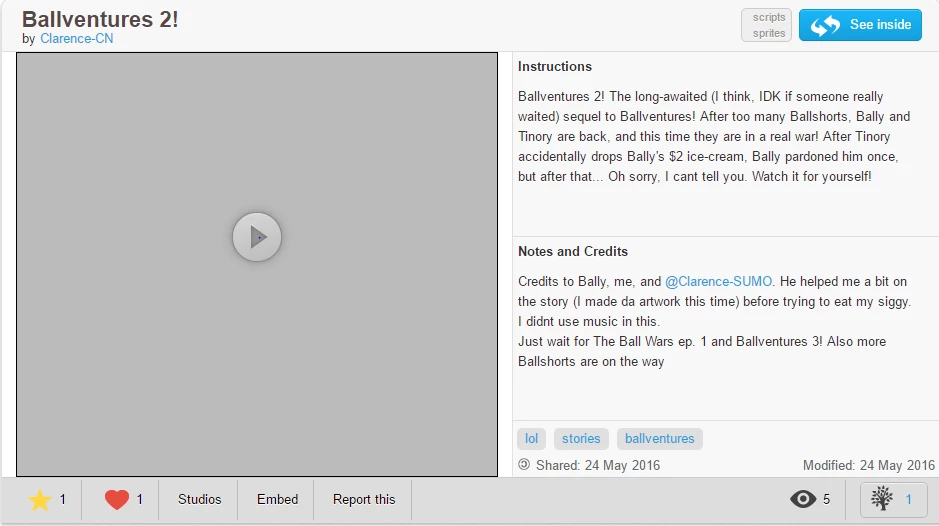
Yup, that big square on there uses Flash Player. It runs well when I click the button but it before ran automatically, so its annoying.

This topic has been closed for replies.
Correct answer _maria_

What Opera version are you using?

It's possible plugins have been configured to 'click to play'.  To check, go to opera://settings and click on Websites.  In the Plug-ins section, what is the option currently selected?

1 reply

_maria_
_maria_Correct answer
Legend
May 31, 2016

What Opera version are you using?

It's possible plugins have been configured to 'click to play'.  To check, go to opera://settings and click on Websites.  In the Plug-ins section, what is the option currently selected?

CreeperEatsTNT
Inspiring
May 31, 2016

Hey thanks! The settings were click to play, but how did that happen? I never configured Opera that way. Any idea? Also I have another LITTLE question, can i ask it right here?

_maria_
Legend
May 31, 2016

It's difficult at best to determine what caused it as there are any number of possibilities, a few could be a shared computer and someone else did it, IT managed system, accidentally setting 'Opera Turbo' mode, etc.

If the other question is related to this same topic, you can ask it here.  if it's an unrelated topic, on Flash Player, it's best to create a new discussion so as to keep separate issues separate.