
November 23, 2016
Question

safari not activating adobe flash player, after it was installed.

  • November 23, 2016
  • 3 replies
  • 547 views

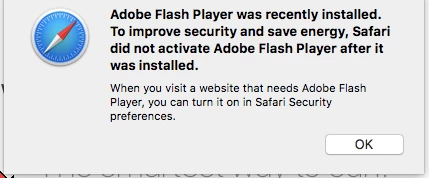
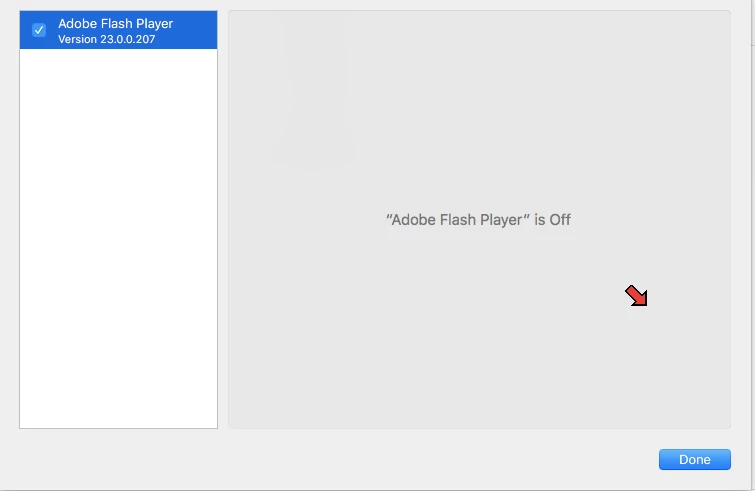
Opened safari with a error message. Tried uninstalling and reinstalling. Still same issue. Sari preferences says it enabled but turned off. Running mac os x10.12.1, safari 10.0.1, and flash player version 23.0.0.207.
This topic has been closed for replies.

3 replies

jeromiec83223024
Inspiring
November 28, 2016

In Safari, go to Preferences > Security

Ensure that Internet plug-ins is checked

Click Plug-In Settings

Click Adobe Flash Player

Towards the bottom right of the window where it says "When visiting other websites", choose "On"

_maria_
Legend
November 28, 2016

Note that this is a change initiate by Apple in Safari 10.  This change was not initiated by Adobe.

Abzyx
Participating Frequently
November 24, 2016

Have you seen this Adobe link: Enable Adobe Flash Player for Safari ?

If you are using the ClickToFlash extension, disable or remove it: https://discussions.apple.com/thread/7719704 .