


December 20, 2015
Question

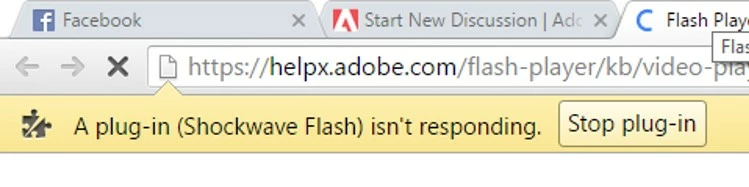
Shockwave Flash Player Crashes ~ Please help
  • December 20, 2015
  • 3 replies
  • 2647 views

This error has suddenly started appearing.

I've reinstalled Flash Player many times

I've reinstalled Chrome many times

I've updated my drivers

Currently using Revo Uninstaller to completely wipe all trash from my hard drives just in case

Nothing has yet worked, please Help

This topic has been closed for replies.

3 replies

January 16, 2016

OKAY so here is what I did to fix my problem:

  1. Go to Settings n your Computer
  2. Go to Update & Security
  3. Go to Recovery
  4. Reset this PC
  5. Keep my Files

This will keep your files but delete all your apps, so make sure to reinstall your anti-virus before anything else

January 23, 2016

This is only a temporary fix, and it's a f***ing lengthy one at that

January 5, 2016

This is also happening to me... please someone help!! It happens both in Firefox and Chrome, with Windows 10

jeromiec83223024
Inspiring
January 6, 2016

There aren't really any useful clues in your post.

To give you any useful advice, I'm going to need to know more about your computer and browser:

https://forums.adobe.com/thread/1195540

That said, if you haven't rebooted your computer since you started experiencing problems, start there.

If the problem persists, please work through the video troubleshooting guide. 

In particular, see the part about disabling hardware acceleration.

https://helpx.adobe.com/flash-player/kb/video-playback-issues.html

If you're still running into constant crashes, is it specific to Chrome, or do you have the same problem in IE or Firefox?

January 6, 2016

OS: Windows 10 Pro 64-bit (10.0, Build 10596)

Web: Chrome, Version 47.0.2526.106 m

Adobe Flash Player - Version: 20.0.0.267

Shockwave Flash 20.0 r0


Anytime I open a page that has any form of animation on it (Youtube, Facebook, The Flash test page) Shockwave crashes and it asks me to kill the page: Flash Player Help is just one of the many pages that doesn't work.

Also the link you sent me crashes as well Flash Player video playback issues


Internet Explorer and Microsoft Edge both just say Not Responding and crash, no error message comes up.


Games also don't work now, whenever I try to load them they just don't open but Steam registers them as being open.


My graphics card is NVIDIA GeForce GTX 960 and is up to date

Participating Frequently
December 21, 2015

Hi,

Could you please share the Flash URL for which this issue occurs.

Also what is the Flash Player version are you using? chck it from below link:

https://helpx.adobe.com/flash-player.html

January 1, 2016

What do you mean by the Flash URL? it crashes on nearly every website. and it crashes before I get to check what version of Flash I am using but I have re-downloaded the newest version a few times now