Participant
May 18, 2015
Answered

Spam/virus?

  • May 18, 2015
  • 1 reply
  • 402 views

Help! What is: [link removed] and why does it keep popping up telling me to update Flash (I have the latest version...), and how do I get rid of it?

Thanks

Kelvin

    This topic has been closed for replies.
    Correct answer _maria_

    Hi kelvinj117,


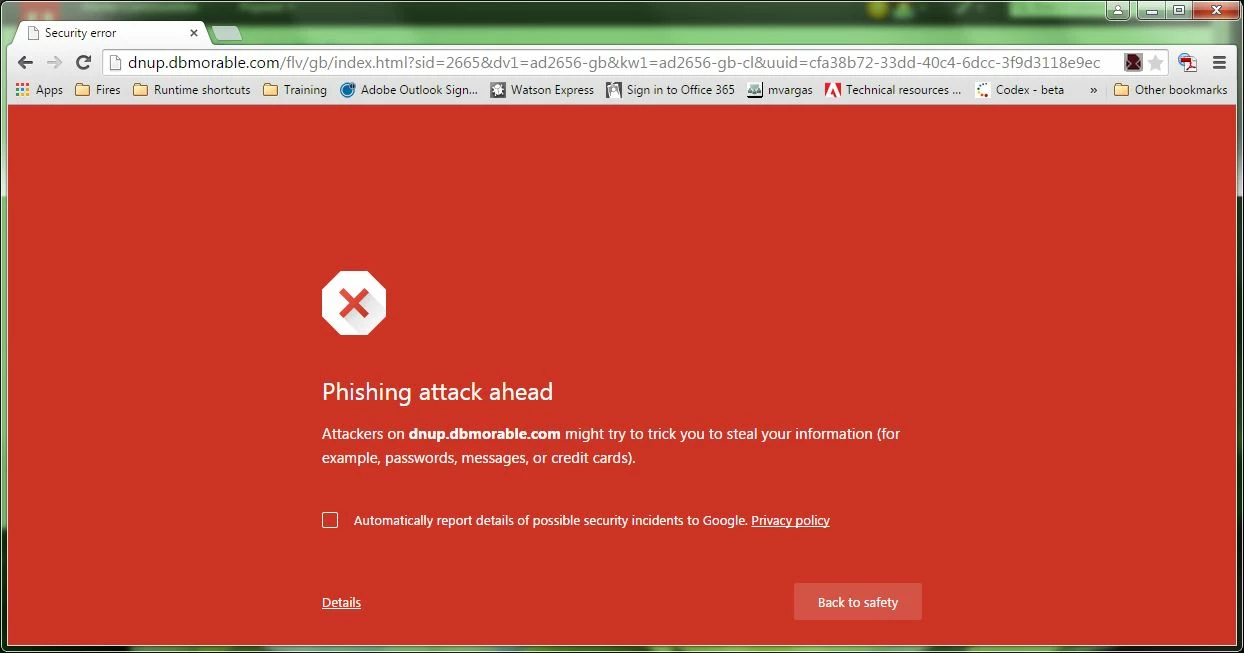
    I can't tell you what site that is, but it's not a legitimate site for Flash Player.  Google Chrome identifies is as a phishing attack site:
    If something keeps popping up with this it's likely your system has been compromised (virus, adware, malware).  You'll want to scan your system for virus/adware/malware/etc.

    --

    Maria

    P.S.  No need to create duplicate posts for the same issue.  I've deleted your duplicate post at https://forums.adobe.com/thread/1847368

    1 reply

    _maria_
    _maria_Correct answer
    Legend
    May 18, 2015

    Hi kelvinj117,


    I can't tell you what site that is, but it's not a legitimate site for Flash Player.  Google Chrome identifies is as a phishing attack site:

    If something keeps popping up with this it's likely your system has been compromised (virus, adware, malware).  You'll want to scan your system for virus/adware/malware/etc.

    --

    Maria

    P.S.  No need to create duplicate posts for the same issue.  I've deleted your duplicate post at https://forums.adobe.com/thread/1847368

    Participant
    May 18, 2015

    Thanks Maria, apologies for the dual posting. I have run SuperAntiSpyware which finds nothing!

    _maria_
    Legend
    May 18, 2015

    Hi kelvinj117,

    I'm not familiar with SuperAntiSpyware, but do know some programs don't catch everything.  When I've had to clean personal machines, I've relied mainly on MalwareBytes as it has worked for me, but I also tend to check with several different programs in case one misses something and another one finds it.  I know how painful the process can be.  Good luck.

    --

    Maria