February 1, 2017
Answered

Strano comportamento di Flash Player Update Service

  • February 1, 2017
  • 1 reply
  • 403 views

Salve, come da titolo, non ho un vero e proprio problema (almeno spero), ma ho notato qualcosa di strano nel visualizzatore eventi, in registri windows/sistema.

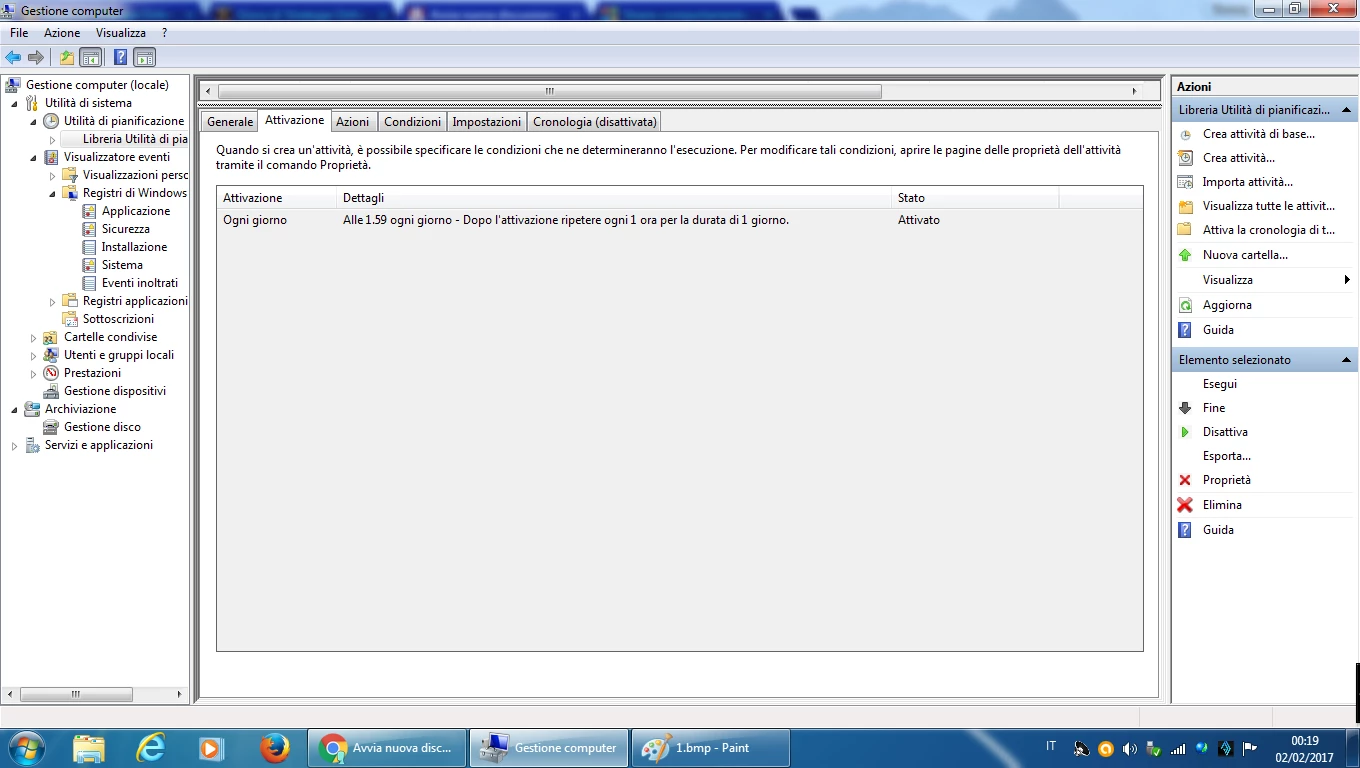
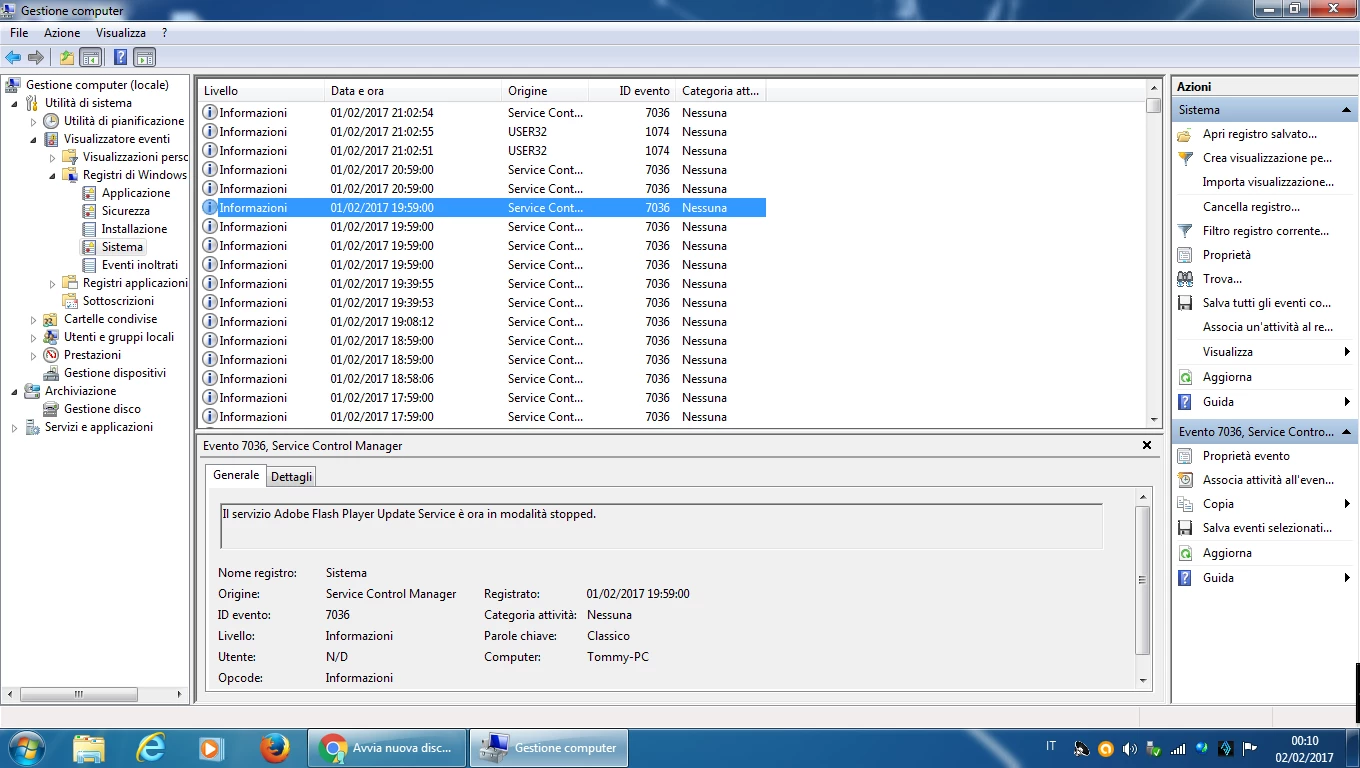
In pratica ogni ora, nello stesso istante, appaiono due eventi con ID 7036 di cui il primo indica che il servizio flash player update è in modalità esecuzione, e il secondo che lo stesso è in modalità arrestato. Questo penso sia normale perché nell'utilità pianificazione eventi è impostata l'attivazione a una certa ora di ogni giorno e poi ogni ora. E infatti anche nel mio "muletto" (Seven 32bit) ci sono due eventi 7036 puntualissimi ogni ora. La cosa strana, che succede solo nel primo pc (Seven 64 bit), è che ogni tanto, in maniera casuale, una volta ogni due tre giorni in media (ma a volte più volte al giorno e altre volte mai per due o tre giorni), gli eventi suddetti non sono due ma sono quattro, nel senso che in quell'istante il servizio parte due volte e due volte si arresta.

Ieri ad esempio dopo tre o quattro ore dall'accensione, per due volte consecutive sono apparsi 4 eventi 7036 (esecuzione-arresto-esecuzione-arresto) e poi dopo un'ora ne sono apparsi di nuovo solo due. Nell'utilità di pianificazione ho visto una sola istanza di adobe flash player update e quindi escludo che erroneamente sia stato pianificato due volte ( anche perché in questo caso gli eventi sarebbero sempre quattro e non solo sporadicamente). Potrebbe forse dipendere dal fatto che nel primo pc ho installato Google chrome che contiene in sé una versione di Flash Player (di solito uso Firefox ma a volte anche il Chrome)?

Ma anche in questo caso non si spiegherebbe perché succede cosi, a random...insomma non capisco...forse non dovrei preoccuparmi dato che il pc funziona perfettamente e non figurano errori da nessuna parte....ma ho pensato che sarebbe stato meglio chiedere il vostro parere...

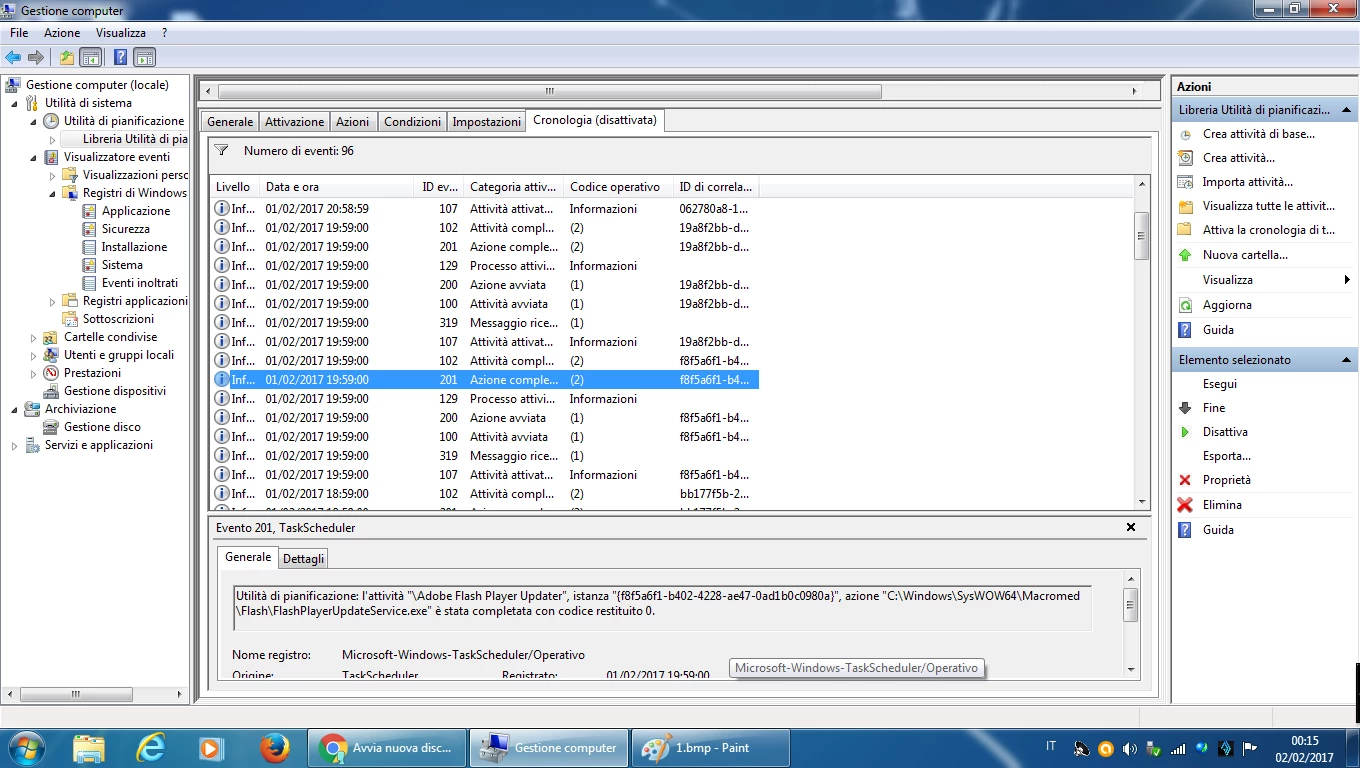
Considerando che i due eventi "aggiuntivi" sono perfettamente identici, anche nei codici e nelle cifre, ai due eventi di sempre, e considerando che, avendo attivato la cronologia nell'utilità di pianificazione eventi di Windows, ho notato che ad ogni ora ci sono 7 eventi sempre uguali mentre quando si verifica il "raddoppio" ce ne sono 14, cioè i soliti 7 ripetuti due volte, vi pare che possa ignorare la cosa o dovrei preoccuparmi e considerarlo un malfunzionamento?
Grazie mille.

This topic has been closed for replies.
Correct answer jeromiec83223024

There's not a lot of useful clues in these screenshots.  If the system is working fine, I wouldn't worry too much about it.  The auto update service checks to see if the version of Flash Player installed is current.  It *should* do that daily, but it may have something to do your permissions and the permissions the update service is running under as to whether or not it can run when you're not logged into the machine.

My guess is that sometimes our request for the file that lists the current versions fails, and so we retry hourly until we get it.  If you're on a flaky wireless network, or maybe your internet connection isn't great, those might explain the intermittent failures.  Our installation logs might provide more useful information, but if you're not actually experiencing a problem, I'm not sure that digging into it is the best use of our time.

1 reply

jeromiec83223024
jeromiec83223024Correct answer
Inspiring
February 9, 2017

There's not a lot of useful clues in these screenshots.  If the system is working fine, I wouldn't worry too much about it.  The auto update service checks to see if the version of Flash Player installed is current.  It *should* do that daily, but it may have something to do your permissions and the permissions the update service is running under as to whether or not it can run when you're not logged into the machine.

My guess is that sometimes our request for the file that lists the current versions fails, and so we retry hourly until we get it.  If you're on a flaky wireless network, or maybe your internet connection isn't great, those might explain the intermittent failures.  Our installation logs might provide more useful information, but if you're not actually experiencing a problem, I'm not sure that digging into it is the best use of our time.

February 10, 2017

Thanks for the reply, Jeromiec. As you can see in the latest screenshots, the activation of the service is planned to be repeated "every hour." This schedule is normal and is automatically created when you install any version of Flash Player (ActiveX or plugin).
In all my pc, in fact, every hour, the same minute, the same second, the service starts once, and then immediately stops. Result: every hour, the same minute, the same second, appear two events with ID 7036 in the Event Viewer, the first for the start, the second for the stop. (Normal behavior)

In my "suspected" pc, sometimes it happens that in that hour, minute and second, instead of two, there are four events (start - stop - start - stop)! Example: 19:59 in the first screenshot.

I thought the same thing that you said:
perhaps because of the poor reception of the wireless signal, the service randomly repeats twice per hour instead of once.
This is possible because the network card and / or the wireless antenna of this pc are old and often the signal is weaker than the other pc.

But one thing made me think it was not the right explanation:
The second screenshot shows the chronology of Task Scheduler. These 14 events of 19:59 summarize in detail the 4 events in the event viewer that can be seen in the first screenshot. And there are no errors, so I was inclined to exclude that it was a network error.

But nevertheless, I now think like you. Perhaps the absence of mistakes in the chronology is irrelevant and really all depends on the  bad quality of the wifi signal.
There are no visible problems, neither in the PC, nor in the Flash Player, which is updated regularly. I too think we have lost too much time trying to get something decent from Google Translator!

I thank you again, best regards

Tommy