
Participating Frequently
June 12, 2017
Answered

Streaming from Channel 4 and Channel 5 (only) in UK problems

  • June 12, 2017
  • 1 reply
  • 1695 views

Flash Player version 25.0.0.171.

Windows 7 SP1 (x64) fully updated

Internet Explorer 11.0.9600.18665, update versions 11.0.42

Streaming from other TV networks in the UK works fine including BBC, ITV and even NowTV but the above two networks (All4 and My5) will not work to playback any TV shows with the above combination. I get similar errors with each relating to Digital rights error 3343 on All 4 and My5 (see respective screenshots attached in order)
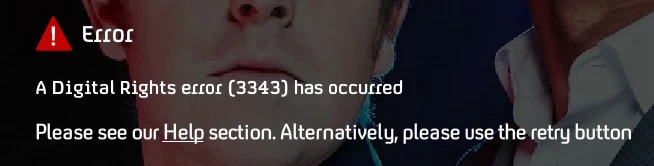
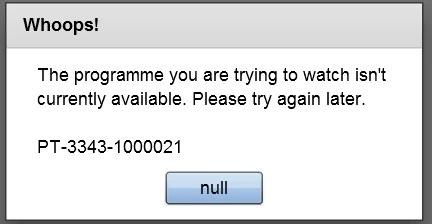
This is an i7 6700K based PC which is only about a year old and I've even formatted the SSD and performed a totally fresh OS reinstall with no difference so I know it shouldn't be anything on my PC that's responsible. Any idea what could be causing these problems please? Contact with the respective channels web support/customer services depts. has only resulted in suggestions to reinstall the newest version of Flash Player and to clear DRM caches etc but this is a freshly reinstalled PC so these suggestions don't apply. The strangest thing is that other channels work fine using Flash Player without generating any errors.

Any suggestions or ideas for getting to the bottom of this 3343 issue please?

    This topic has been closed for replies.
    Correct answer jeromiec83223024

    The best thing you can do is rule them out.  If you put those configurations back to default and the problem goes away, that's very useful.  Conversely, if you change the settings and the problem persists, then they're most likely not the cause.

    1 reply

    jeromiec83223024
    Inspiring
    June 12, 2017

    Based in the information below, my guess -- given that you have a new, clean installation -- is that this is a problem that will need to be remedied on the content provider's end.

    How to remedy a 3343 DRMErrorEvent error code

    Participating Frequently
    June 13, 2017

    MANY thanks for this reply. I will point both providers to your response in this community thread and hope (with fingers crossed) that they follow this up and get in touch with you to get this sorted. I see that the 3343 error FAQ is one of the top FAQs for one of the providers so I'm very sure I'm not alone. Is there any more information that I can provide here to help 'spoon feed' them/Adobe which will help towards finding an answer eg a Dxdiag.txt or System Information File report etc? Two things that are slightly 'out of the ordinary' with my system are:

    1. I have my Display set to 150% so that my icons are big enough onscreen at the monitors native1920x1080 resolution

    2. I use the TOSLINK (SPDIF Optical) output from my motherboard for Dolby Digital (5.1) output

    I mention these simply because in the past I worked as a computer tech and found that 'less common' configurations sometimes resulted in incompatibilities - especially no1 above/below.

    jeromiec83223024
    jeromiec83223024Correct answer
    Inspiring
    June 13, 2017

    The best thing you can do is rule them out.  If you put those configurations back to default and the problem goes away, that's very useful.  Conversely, if you change the settings and the problem persists, then they're most likely not the cause.