
Participant
December 29, 2014
Question

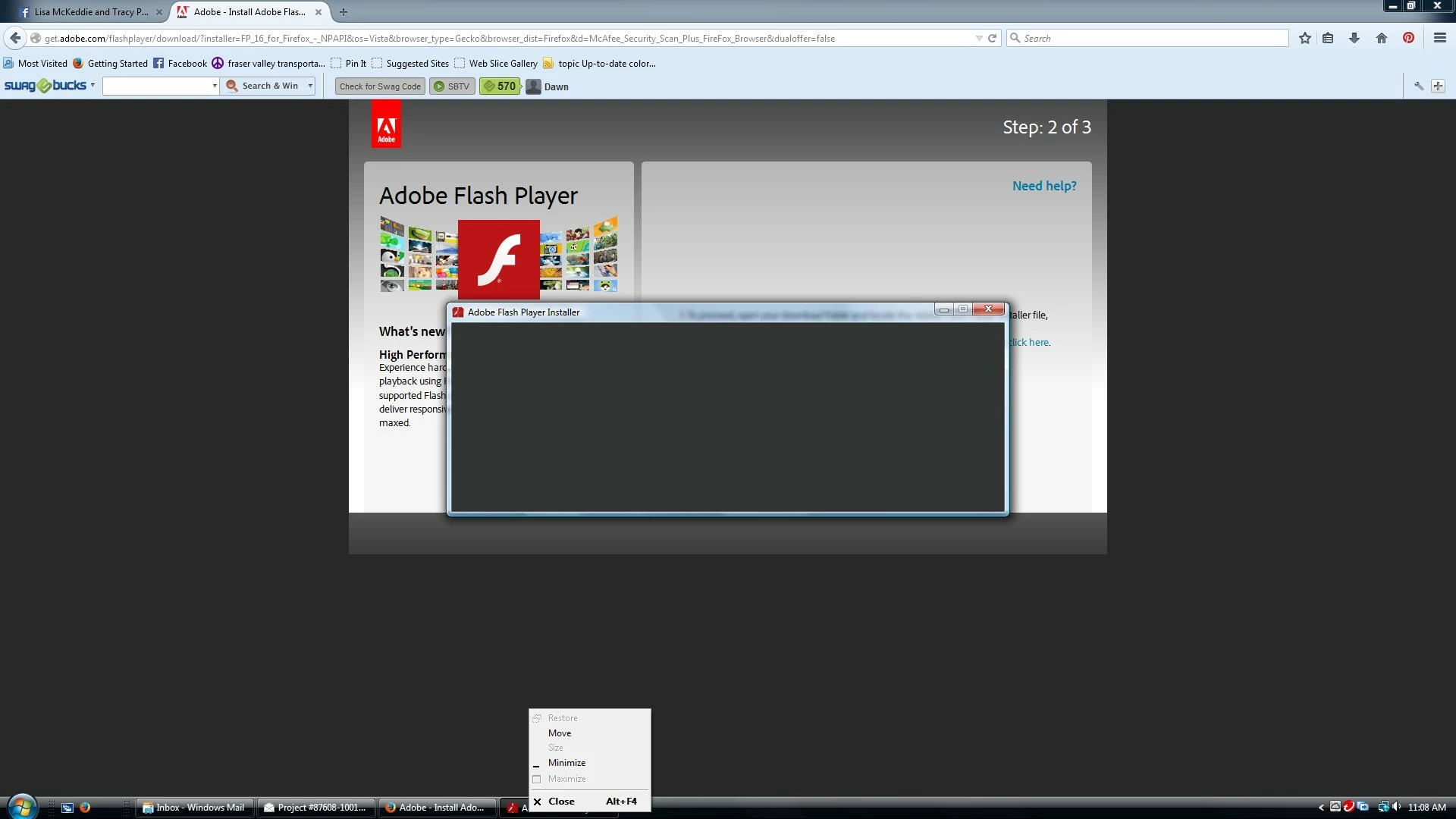
Stupid flashplayer install!

  • December 29, 2014
  • 3 replies
  • 2767 views

I need help and i am about to throw this computer out the window.  I have searched and searched and enabled and disabled, installed and uninstalled till I am blue in the face.  I just got rid of Mozilla and  installed Chrome now, I still get this black screen of nothing,  I can't do certain things because its no longer updated!

What can I do to update and get rid of this window that sits and does NOTHING
This topic has been closed for replies.

3 replies

Participating Frequently
January 19, 2015

hi i'm jakob maybe you try to this linkEnabling Flash Player in Internet Explorer

Carm01
Legend
December 30, 2014

Might want to take a look at my posting:

This blog also has information on a scripted clean install of the flash player install as scripted per this video on the adobe site (Win7) :  Adobe Flash - script for complete uninstall, clean up and re-install

How do I do a clean install of Flash Player?

The process is all done in BAT file and simplifies this whole process. It is located under the step by step section on my blog under step one.

For whatever reason adobe says do not delete the old flash player files on Windows 8 , i have no idea why as windows 7 and 8 files structure is the same. anyways they should just be recreated... maybe someone who is technically savvy could test unless someone from Adobe wants to chime in on this explanation

Hope this helps

wizzarin
Participant
December 30, 2014

I'm getting the same problem.  I have a bran new system.   But to help you're problem about getting rid of the black screen window that does nothing:  hit Ctl+Alt+Delete at the same time, This should bring up the windows task manager.  Under applications you should find that window from flash, click on it and hit the End Task button at the bottom.  You may have to do this more than once, but it will work.    Now here is what I do know about this problem with my system, it's not only a problem for fox, but for internet explorer too.  I have only uploaded all the latest programs, Windows 7 (I didn't want windows 8),  Confirmed Java is up and running. Not sure how to resolve this issue, still searching.

January 6, 2015

Wizzarin, I have the same exact problem. Have you resolved it?  I see the response below to you , but I have tried so many different ways of installing, I am thinking it is a setting in my new pc.  It's win7, Java is running, shockwave too.  I am going mad!

jeromiec83223024
Inspiring
January 6, 2015

For Internet Explorer on Windows 8 and higher, Flash Player is a built-in component of the browser.  There's nothing to do.  This is the same for Google Chrome.

For NPAPI browsers like Firefox, if you're not having success with the standard installer from http://get.adobe.com/flashplayer, please try the offline installer:

Firefox and other NPAPI browsers:

http://fpdownload.macromedia.com/pub/flashplayer/latest/help/install_flash_player.exe