


Suspected Fake Flash Player Installer download from Real Adobe Website - MacOS--
I recently noticed a major change in the behavior of my Adobe Flash Player Installer. It WAS downloaded from the Adobe Website. I am concerned that I am somehow being redirected from the legitimate Adobe download site to a bogus download server. I am concerned that I now have a malware infection.
The problem developed after I responded to what seemed like a legitimate screen notice that my Flash Player was outdated and needed to be updated. I did not update from that notification window. I instead closed that window, then I directly accessed the Adobe Home Page, from where I linked to: https://get.adobe.com/flashplayer/. I have always updated directly in this manner.
I am on a Mac. Running OS 10.14.6 after recently upgrading from OS 10.12.6.
Since December 2018, I had been using the flash player installer for Version 32 for the Mac which downloads from the Get Adobe Flashplayer website: "AdobeFlashPlayer_32_ast_install.dmg"
The path to that file was: (viewing file with Mac "GetInfo" command)
https://admdownload.adobe.com/bin/live/AdobeFlashPlayer_32_ast_install.dmg,
Recently after upgrading to OS 10.14.6, I was prompted to update Flash to the most current version (32.0.0.321). I ran my existing "AdobeFlashPlayer_32_ast_install.dmg" installer, but it would not work. So I went back to the "https://get.adobe.com/flashplayer/" webpage and downloaded a new installer assuming the installer needed updating.
The new installer download from Adobe was labeled: "install_flash_player_osx.dmg".
The different format of the file name was concerning, but I rechecked that I was on the correct Adobe website (not a fake) and viewed the file path for the download. It was different, but seemed legitimate:
https://fpdownload.adobe.com/get/flashplayer/pdc/32.0.0.314/install_flash_player_osx.dmg
Note: the older file downloaded from "https://admdownload.adobe.com" and the newer installer downloaded from "https://fpdownload.adobe.com"
I started getting concerned however when I launched the new installer. Using "install_flash_player_osx.dmg", the text, sequence of steps, the download bars and graphic designs were considerably different from all prior install experiences, Some screenshots:
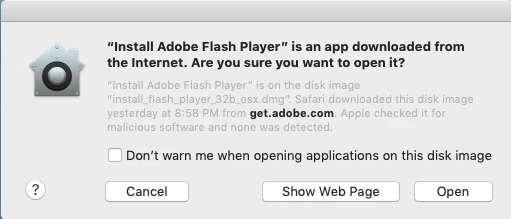
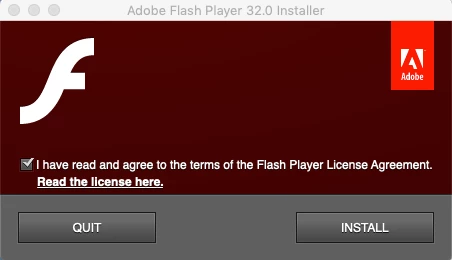
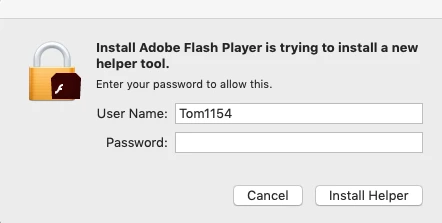
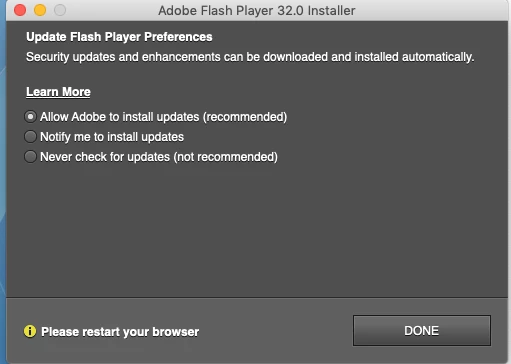
This last "Update preferences" graphic was most alarming. The design is so different from prior installs
Another difference is that the previous Flash Verison 32 installer ("AdobeFlashPlayer_32_ast_install.dmg") is only 803KB in size. The most recent installer ("install_flash_player_osx.dmg") is 14.5MB in size.
Another difference: I own multiple Macs and the install behavior for Flash 32.0.0.321 was different on my other Macs. For computers running 10.12.6, the "AdobeFlashPlayer_32_ast_install.dmg" installer downloads from Adobe. On my Mac running 10.14.6 (which I believe is now infected,) the "install_flash_player_osx.dmg" installer downloads from the same Adobe webpage.
On the 10.14.6 Mac, it looks like I am being redirected each time I land on the "https://get.adobe.com/flashplayer/" download page. The redirection occurs immediately after the page loads. The URL at the top of the pate does not change, but the "Install Now" button (which appears linked to the "AdobeFlashPlayer_32_ast_install.dmg" installer) will switch immediately from a "Install Now" button to a "Download now" button linked to the different, larger "install_flash_player_osx.dmg" installer.
On my 10.14.6 mac, the page loads like this:
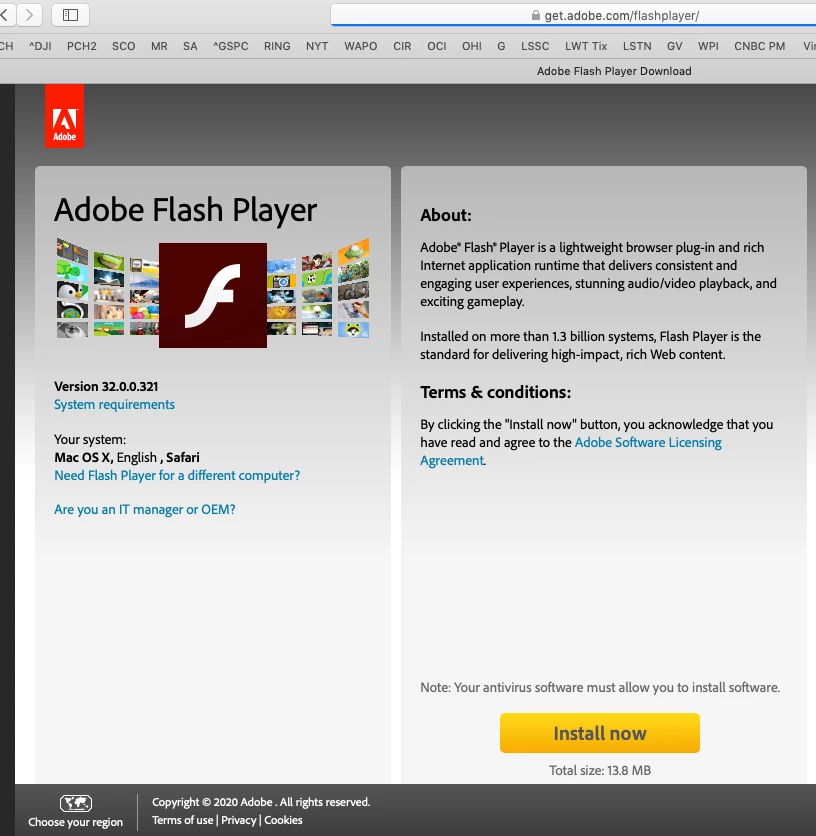
...then changes to this: The "Install" button changes to a "Download" button linked to a different server.
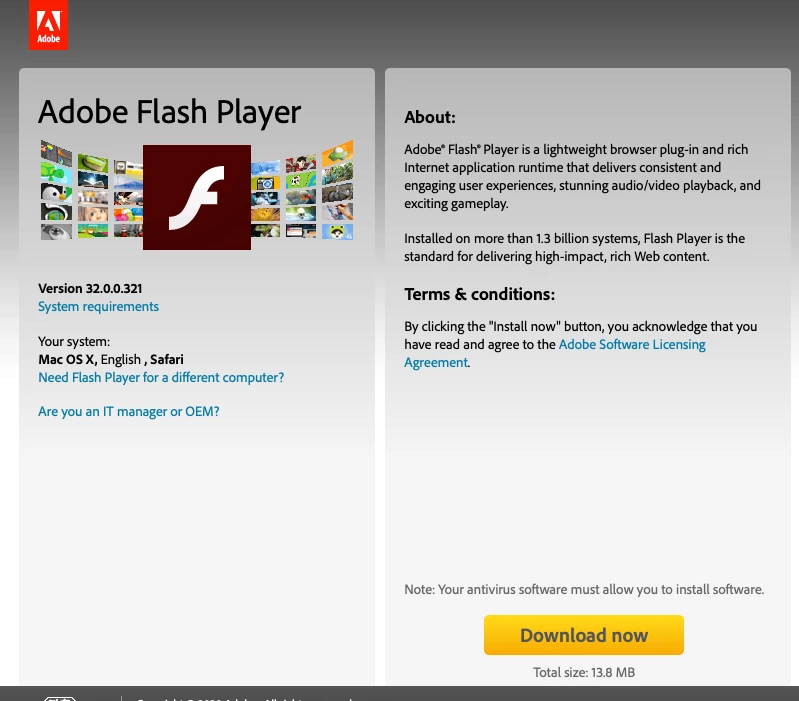
The redirection does not happen on my Macs running 10.12.6. I can still downolad the "AdobeFlashPlayer_32_ast_install.dmg" installer. And again, the installation process is very different.
Can someone from Adobe advise whether both installers are legitimate? Is the redirection normal? Are the different installers and install behavior required for the different operating systems? And have I somehow downloaded a fake installer that needs to be removed? Do I have malware? What should I do next?
Thank you for reading through all of this. I would appreciate your help.

 AdChoices