


Participant
October 3, 2018
Question

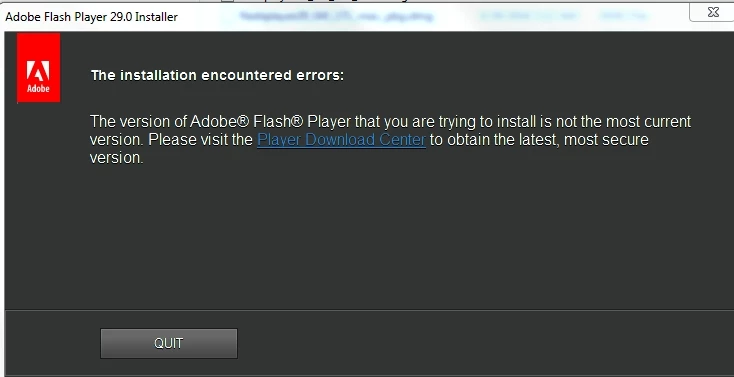
trying to install previous version. the installer will not allow and directs to new version

  • October 3, 2018
  • 2 replies
  • 232 views

Because of Birst application problems now with flash, I need to rollback to version flashplayer29_0r0_171_winax.exe 

I have removed all existing versions.  the installer give me this error:
This topic has been closed for replies.

2 replies

jeromiec83223024
Inspiring
October 3, 2018

We generally discourage people from browsing the web with older versions of Flash Player.  Flash Player's job is to process untrusted content from the web.  Attackers can look at the binary differences between Flash versions to reverse-engineer changes, and there are tools and techniques that make this process very efficient.

If the technical support folks at this particular content provider are recommending that you revert to an old version, that's not ideal.  Please feel free to forward this thread to them.  We'd be happy to talk to them about any issues that their users are encountering to understand the problem and offer them an optimal solution (and/or better guidance for end-users).

If you want to explain what the actual problem is, we might have a more secure suggestion for a workaround...

_maria_
Legend
October 3, 2018

Use the standalone uninstaller to completely remove Flash Player and revert to a previous version.

Uninstall Flash Player for Windows