



Unable to activate flash on mac despite following troubleshooter
Hi all,
Looking for some help with a little issue.
Chrome: When trying to load sites which need flash i get the message 'control click to enable flash', and when i try and control click nothing happens.
Safari : I get the message - To launch .... you must have Adobe Flash Player 11.3.300 or higher installed in your system
I am using a MacBook Air, OS Mojave 10.14.2, and I have Flash ppapi now installed.
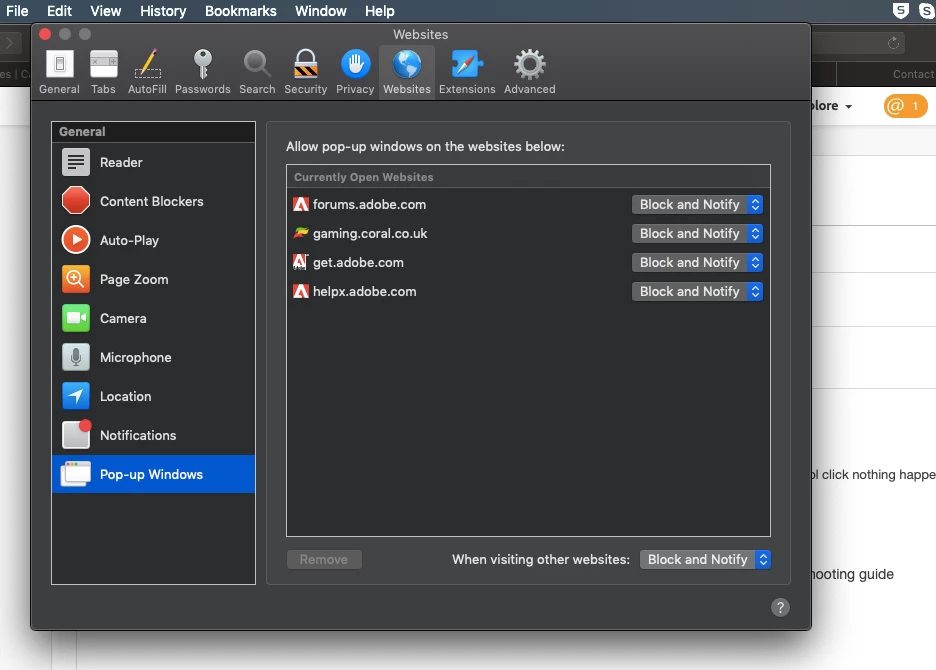
When i first saw the error i uninstalled flash and reinstalled the ppapi version to no avail. I have followed the troubleshooting guide and when i go to Safari ---> Preferences ----> Websites I don't see flash player listed under plug-ins like it says I should on the guide. Javascript is also enabled.
When i go to chrome://components/ in my chrome browser it says Adobe Flash Player - Version: 32.0.0.101 Status Component updated - which I believe is right according to the guide.
Really odd, I'm not sure what could have caused this as I have had no problems with it before.
If anyone has any suggestions I would be very grateful.
Thanks in advance.
 AdChoices