jims1943
Participant
February 16, 2017
Question

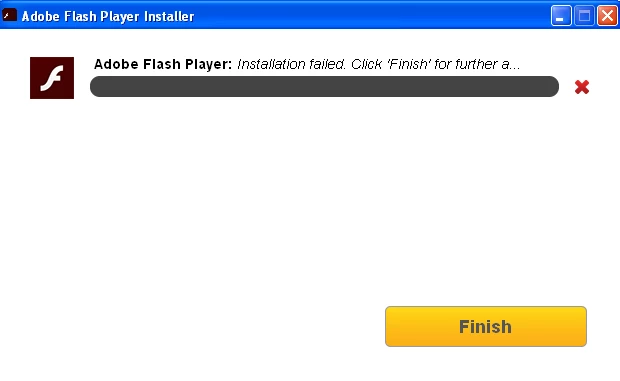
unable to complete installation of Flashplayer24

  • February 16, 2017
  • 1 reply
  • 1091 views

I am trying to install Flashplayer24 on an fresh format and installation of Win XP SP3. Besides Firefox and Avast AVS, no other apps have been installed. The installation thermometer runs to about 50% then reports "installation failed". I click Finish and follow the troubleshooting instructions to no avail since Flash or Shockwave are not present in the Firefox plugins at all and cannot be enabled.

  • Operating system version = Windows XP SP3
  • Web browser and version = Firefox 51.0.1 (32-bit)
  • Flash = 24.0.0.221

This topic has been closed for replies.

1 reply

_maria_
Legend
February 16, 2017

Hi,

It's possible Avast AVG is blocking the installation.  The online installer, which you're using, downloads and installs silently in the background and some a/v software has been known to block the downloading of the Flash Player file.  We'll need to review the installation log files to troubleshoot the failure.  Please provide the following log files:

  • FlashInstall.log file saved at C:\Windows\System32\Macromed\Flash.  If this is a 64-bit OS, the FlashInstall.log file saved at C:\Windows\SysWOW64\Macromed\Flash is also required
  • Adobe_ADM.log and Adobe_GDE.log files saved at C:\Documents and Settings\<YourUserID>\Local Settings\Temp\Adobe_ADMLogs

Upload the files to cloud.acrobat.com/send using the instructions at How to share a document and post the link to the uploaded files in your reply.

Thank you.

--

Maria

jims1943
jims1943Author
Participant
February 16, 2017

Thanks for the prompt reply. Here's the link to FlashInstall.log Shared Files - Acrobat.com 

Regarding Adobe_*.log files, I don't have either. In fact I don't have the specified directory. I also used the XP Search utility looking for Adobe*.* and all I caught was the Flash Installer.

Over to you.

jims1943
jims1943Author
Participant
February 20, 2017

Well I guess I'm not going to get a positive result in this forum. I received an email from Adobe Community stating "You have received this email because the content you posted below has been rejected by our moderators."

I presume this is because i didn't post all of the requested files. Perhaps Adobe's instructions should cover the situation where the files do not exist on the PC in question.