clemeleon
Participating Frequently
March 29, 2015
Question

Unable to install newest Adobe Flash Player on iMac / OSX / Yosemite / V10.10.2

  • March 29, 2015
  • 3 replies
  • 2663 views

Mac OSX / Safari / Yosemite V 10.10.2 / My iMac does not allow me to upgrade or install a new Flash Player nor uninstall my existing Flash Player.  • I have made numerous attempts to make this installation, updated software on my computer, emptied caches, manually deleted my Flash player (i don't have one now), I followed instructions off of the Adobe forum and everywhere I can on the Web, still, no luck.  Please advise - any assistance would be greatly appreciated 

Here is the alert.  Depending on wether its the installer or installer, I always get this
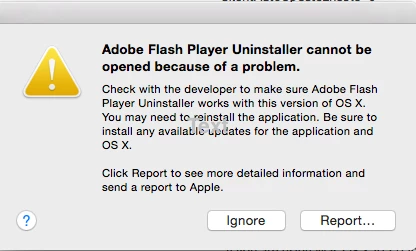
This topic has been closed for replies.

3 replies

_maria_
Legend
March 30, 2015

Hi clemeleon,

Please click the 'report' button on the dialog window and copy and paste the information in the next window here.

What is the name of the file that is exhibiting this behaviour?

Thank you.

--

Maria

clemeleon
clemeleonAuthor
Participating Frequently
March 30, 2015

Here you go Maria:  this is what the report says.  For install and uninstall - both are the same

Install Adobe Flash Player cannot be opened because of a problem.

Check with the developer to make sure Install Adobe Flash Player works with this version of OS X. You may need to reinstall the application. Be sure to install any available updates for the application and OS X.


Click Report to see more detailed information and send a report to Apple.

_maria_
Legend
March 30, 2015

Hi clemeleon,

I'm actually looking for the information that displays after you click the 'Report...' button.  This should provide us more information as to what the problem is.

Thank you.

--

Maria

pwillener
Legend
March 30, 2015

Since it is the uninstaller that encounters a problem, try the manual uninstaller from https://helpx.adobe.com/flash-player/kb/uninstall-flash-player-mac-os.html

clemeleon
clemeleonAuthor
Participating Frequently
March 30, 2015

P-Willener - Thanks for the link.   I've tried this before with no luck.  The same alert pops up whoever I try to launch the installer and uninstaller.  I'm wondering if there's there a way to manually install this player or related software.  Perhaps by going into my folders, deleting and adding.  At this point I'm awaiting such instructions from the forum . . . .Thanks again

Inspiring
March 29, 2015

Did you try the following Adobe website? Go down to the bottom where it says "Still having problems?.

Installation problems | Flash Player | Mac

clemeleon
clemeleonAuthor
Participating Frequently
March 29, 2015

Andy - yes I did that as well.  I get the same alert:  "Check with the developer to make sure Install Adobe Flash Player works with this version of OS X. You may need to reinstall the application. Be sure to install any available updates for the application and OS"

Inspiring
March 29, 2015

I suggest you post back during the week at which time Adobe staff will help you with that problem.