


Unresponsive Adobe Flash in Firefox (Crashing Plugin)
To whom it may concern,
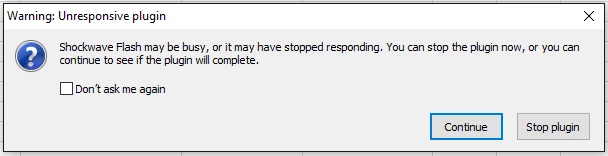
I am reluctant since I have seen this problem has been posted several times, but unfortunately, the suggested answers have not solved my problem. I am using Mozilla Firefox version 55.0.3 on Windows 10 and have been experiencing problems with viewing animated images and videos. Sometimes, the warning pop-up for the unresponsive Adobe Flash plugin would show. The version of Adobe Flash Player installed is 26.0.0.151, which should be the most updated version. I have tried to follow instructions on disabling hardware acceleration to see if it would work. However, when I right click the image, there is no choice for "Options" or "Settings". I have disabled Protected Mode, but that doesn't have any effect. Could you please help me fix this problem?
As mentioned, I have already looked on several forums in attempt to solve these issues, yet could not find an appropriate solution. To be honest, this issue has persisted for about 2 years, and I had waited to see if the new Adobe Flash update would fix the issue. However, the problem is still recurring. I have also followed the instructions from this link, but these did not solve the problem. I've included screenshots and recent report ID links for your reference. Any help is much appreciated.
about:crashes
68b3bc53-f6f8-456d-a5be-fd3188fd6716 2017-08-30 5:08 PM
d33782b5-3f39-4280-ada6-025e1e8df067 2017-08-30 5:07 PM2778a110-c64c-46d9-8ba7-8267e044d84c 2017-08-30 5:07 PM
f5f680d2-d0e8-41ba-b8d4-a8f08c391dce 2017-08-30 5:06 PM
d47f76df-b9ab-4f70-8bc6-a032c467f5fc 2017-08-30 5:03 PM
about:support
bp-bab9a9cb-4ec7-4fb8-acbf-ad52c1170830
bp-719e8905-c450-40e4-a295-a39641170830
bp-e707afb2-7462-48ad-9b42-1b0f11170830
bp-e5516a1b-d058-4533-ba27-cd6f50170828
Thanks,
Sharon
 AdChoices