

Question
Update Adobe Flash Player
Hello everyone,
I'm experiencing an issue with Adobe Flash player inside a business environment. Whenever users cold boot, they receive a prompt to update Adobe Flash Player. We would like this dialogue to stop appearing as users don't have administrator rights and can't update Adobe.
I've tried the following things:
- Right clicking a flash player video, navigating to Global Settings, going to the Advanced tab and making sure Never Check For Updates is checked (It is)
- Navigating to both C:\Windows\SysWOW64\Macromed\Flash and C:\Windows\System32\Macromed\Flash and editing the mms.cfg file to look like this:
SilentAutoUpdateEnable=0
AutoUpdateDisable=1
- Going to Services and manually disabling Adobe Flash Player Update Service and Adobe Acrobat Update Service
- Installing a redistributable version of Adobe Flash (15.0.0.239.) That did not have any effect either.
The update dialogue looks as follows:
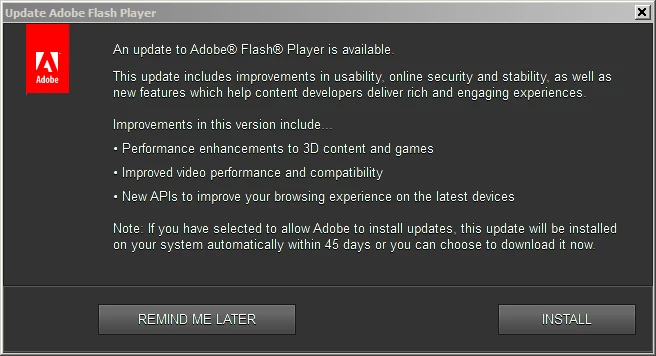
Does anyone have any suggestions as to what to try next?
 AdChoices