Participant
February 22, 2017
Answered

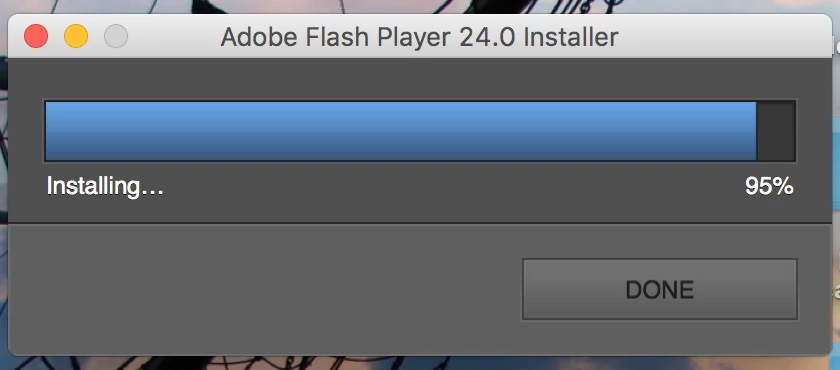
Updating Adobe Flash Player 24.0 gets stick at 95%

  • February 22, 2017
  • 2 replies
  • 952 views

I've tried updating Flash Player on my Mac Book Pro macOS Sierra Version 10.12.3 with Firefox 51.0.1(64-bit) and it gets stuck at 95% of installation. I have uninstalled & tried re-installing 4 times now & NOTHING works! What's the answer? I tried calling Apple & they said it was an Adobe issue. So I'm stuck! Does anyone know how to fix this issue? PLEASE HELP!!!

Thanks,

                                                                                                                                                                           BJ

This topic has been closed for replies.
Correct answer divya010193

Hi,

try the following steps:

1) uninstall flash completely

2) restart computer

3) install newest flash

4) restart computer

If you still face the issue please specify the following :

Is there an error or does the installation just hang at 95% percent? If it returns an error, what is the error?  We'll need the Flash Player installation log files to investigate further.  Please do the following:

  • Review the FAQ Where do I find the Flash Player installation log on the Macintosh?
  • Configure your system to obtain the install.log and FlashPlayerInstallManager.log files
  • Attempt to install Flash Player again.  When the installation hangs (or returns an error), close out of the installation window
  • Upload the install.log file (only the portion related to the Flash Player installation) and the FlashInstallManager.log (entire file) to cloud.acrobat.com/send using the instructions at How to share a document
  • Post the link to the uploaded log files in your reply

Thanks!

2 replies

Participant
February 22, 2017

Thank you so very much! It worked! 

divya010193
Adobe Employee
divya010193Correct answer
Adobe Employee
February 22, 2017

Hi,

try the following steps:

1) uninstall flash completely

2) restart computer

3) install newest flash

4) restart computer

If you still face the issue please specify the following :

Is there an error or does the installation just hang at 95% percent? If it returns an error, what is the error?  We'll need the Flash Player installation log files to investigate further.  Please do the following:

  • Review the FAQ Where do I find the Flash Player installation log on the Macintosh?
  • Configure your system to obtain the install.log and FlashPlayerInstallManager.log files
  • Attempt to install Flash Player again.  When the installation hangs (or returns an error), close out of the installation window
  • Upload the install.log file (only the portion related to the Flash Player installation) and the FlashInstallManager.log (entire file) to cloud.acrobat.com/send using the instructions at How to share a document
  • Post the link to the uploaded log files in your reply

Thanks!