


Vulnerability Scanner Update Issue - Windows 10
[moderator: added operating system to title for clarity]
Hi,
I am currently running Internet Explorer 11 (V.11.674.15063.0) and a vulnerability scanner says the version of Adobe Flash player (v 27.0.0.130) needs to be updated. The newest version is .183 but when I go to the download page (go.adobe.com/flashplayer) it takes me to a webpage with instructions for enabling and disabling the add-on. Website: https://helpx.adobe.com/flash-player/kb/flash-player-issues-windows-10-ie.html
There is no download link on the page and any link for the download re-directs to that same enable/disable webpage. Even when I selected the option from the forum post to download the file (same go.adobe.com link) it takes me right back to that website. That is VERY annoying.
According to that website, the latest version of IE comes with Flash player installed.
Q1 - How do I stop Windows Updates from managing the Adobe updates so I can download the latest version immediately?
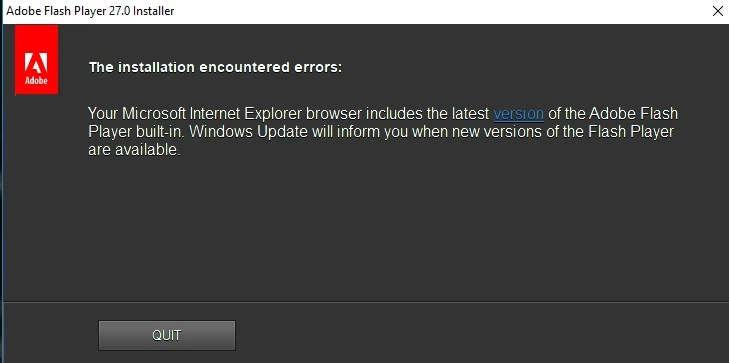
Q2 - How do I get Adobe to update as every stand-alone installer program I've tried keeps telling me that Windows Updates is managing the updates?
Thanks,
CS.
 AdChoices