


Website unable to access microphone
- Windows 10
- Firefox 41.0.1 and/or Internet Explorer 11.0.10240.16431
- Flash 19.0.0.185
Hello all,
I'd like to start off by saying this was NOT a problem when I had Windows 8. The microphone functionality was fine.
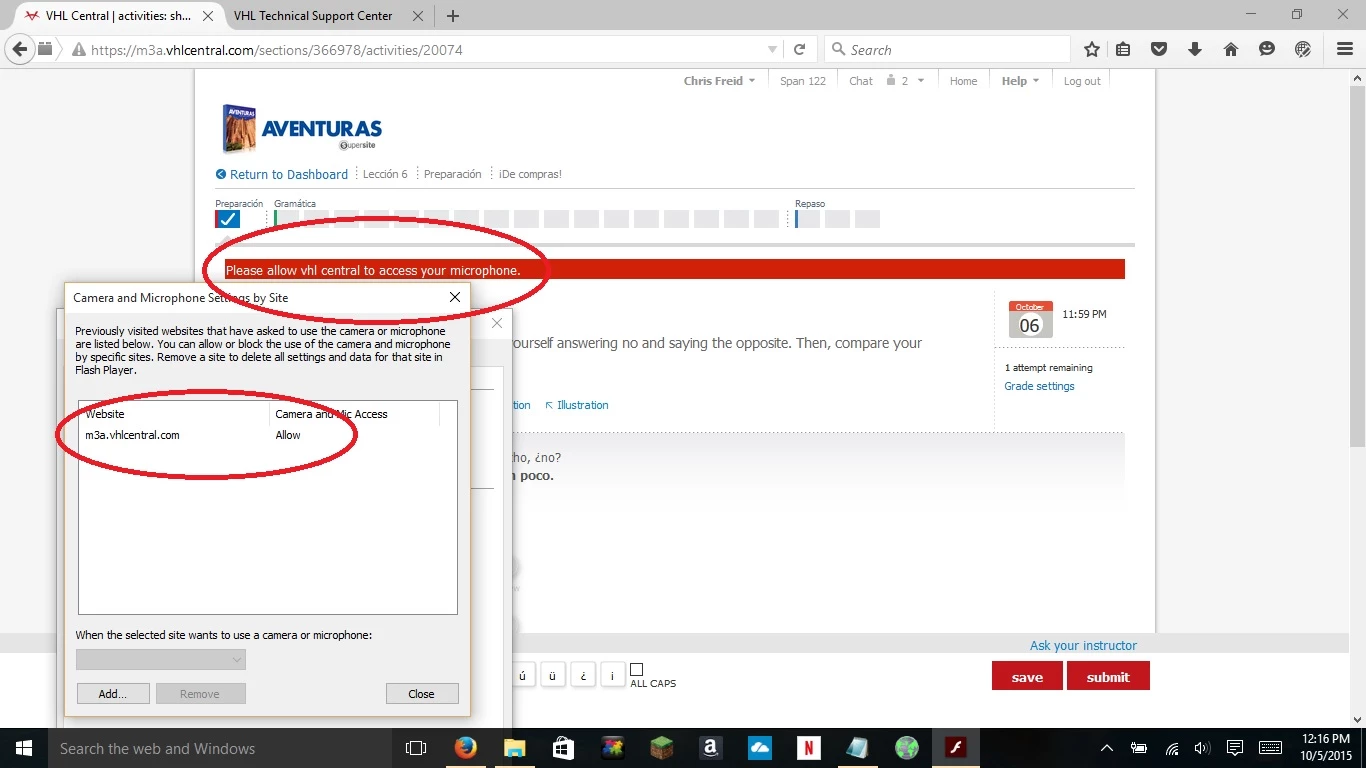
I am currently in a class that uses a site called VHL Central to do homework online, and one of my assignments requires a microphone. I have allowed access in the Flash GUI that pops up when requested, modified the exceptions in the Flash Player Settings on my computer, used the internet-based Global settings, and re-installed the Flash plug-in, but the site still reports that I need to allow it to use the microphone in my Flash settings. I contacted VHL support, and was told that the problem seems to be that Flash is not retaining the settings for the site. I have tried this in both Internet explorer and FireFox.
I've included a screenshot that people may find useful.
The problem started with the website https://m3a.vhlcentral.com/
but occurs with any site using flash to access my microphone or camera.
A direct link (which I doubt anyone will be able to access without paying the tuition for the class) to the Flash-enabled page that is requesting use of my microphone is: https://m3a.vhlcentral.com/sections/366978/activities/20074
Thanks for reading!
Dingo
 AdChoices