Participant
November 16, 2020
Answered

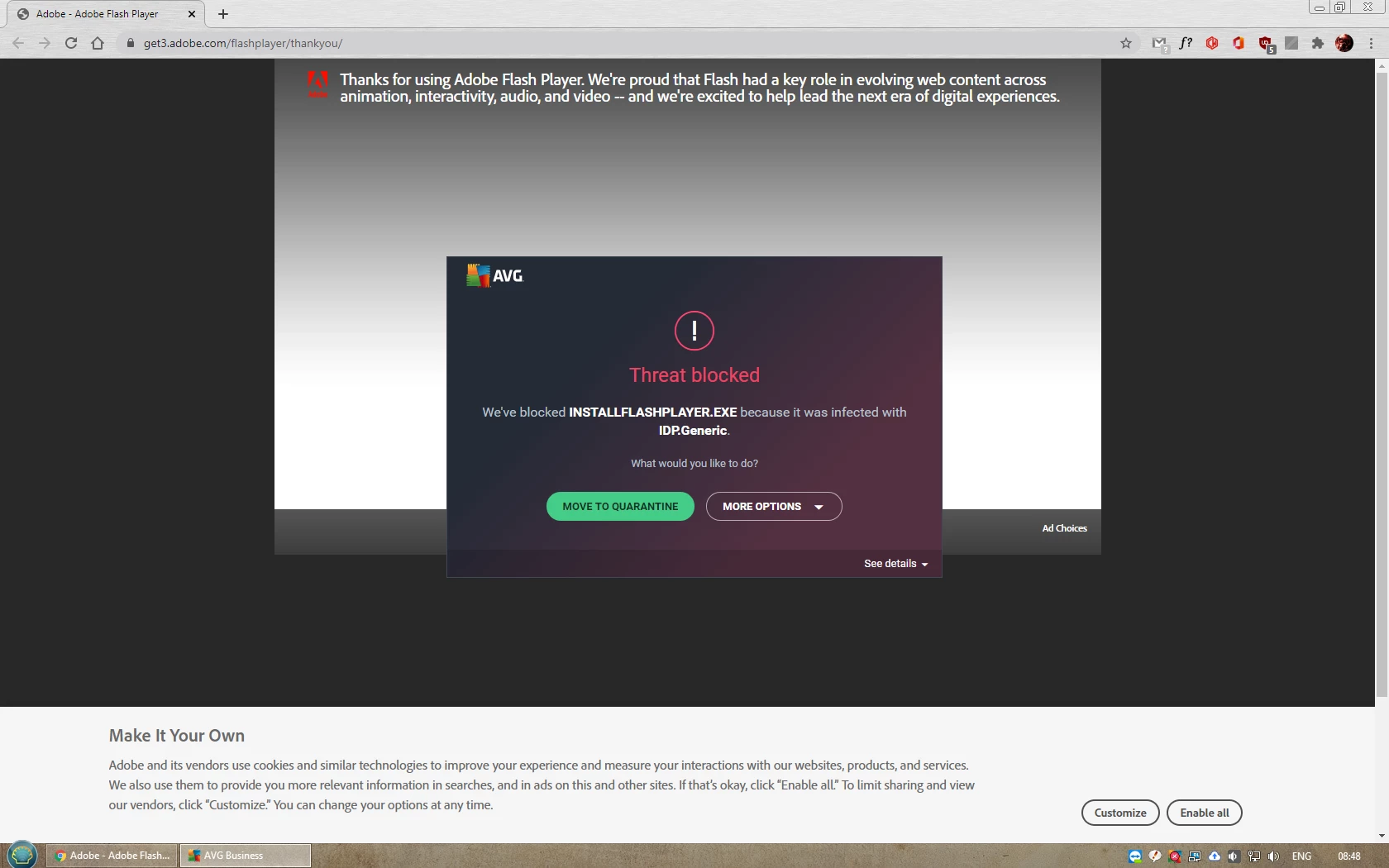
What a great installer!

  • November 16, 2020
  • 2 replies
  • 165 views

Just wanna make sure Adobe sees this fiasco!
 

This topic has been closed for replies.
Correct answer jeromiec83223024

Sadly, this is almost certainly an issue you'll need to take up with your virus scanner vendor.  It looks like they're flagging this in error.


As an alternative, you can download our standalone uninstaller, here: 


Uninstall Flash Player - Windows:
https://helpx.adobe.com/flash-player/kb/uninstall-flash-player-windows.html


Uninstall Flash Player - Mac:
https://helpx.adobe.com/flash-player/kb/uninstall-flash-player-mac-os.html


On Ubunut and Mint (assuming you installed using apt): 

sudo apt remove adobe-flashplugin flashplugin-installer

2 replies

jeromiec83223024
jeromiec83223024Correct answer
Inspiring
November 16, 2020

Sadly, this is almost certainly an issue you'll need to take up with your virus scanner vendor.  It looks like they're flagging this in error.


As an alternative, you can download our standalone uninstaller, here: 


Uninstall Flash Player - Windows:
https://helpx.adobe.com/flash-player/kb/uninstall-flash-player-windows.html


Uninstall Flash Player - Mac:
https://helpx.adobe.com/flash-player/kb/uninstall-flash-player-mac-os.html


On Ubunut and Mint (assuming you installed using apt): 

sudo apt remove adobe-flashplugin flashplugin-installer

Legend
November 16, 2020

If you want Adobe to see it, you should tell them. But you need to tell AVG, false positives are a normal part of antivirus work. But Flash Player dies in 6 weeks, nobody will be very interested, I suggest you give up.
