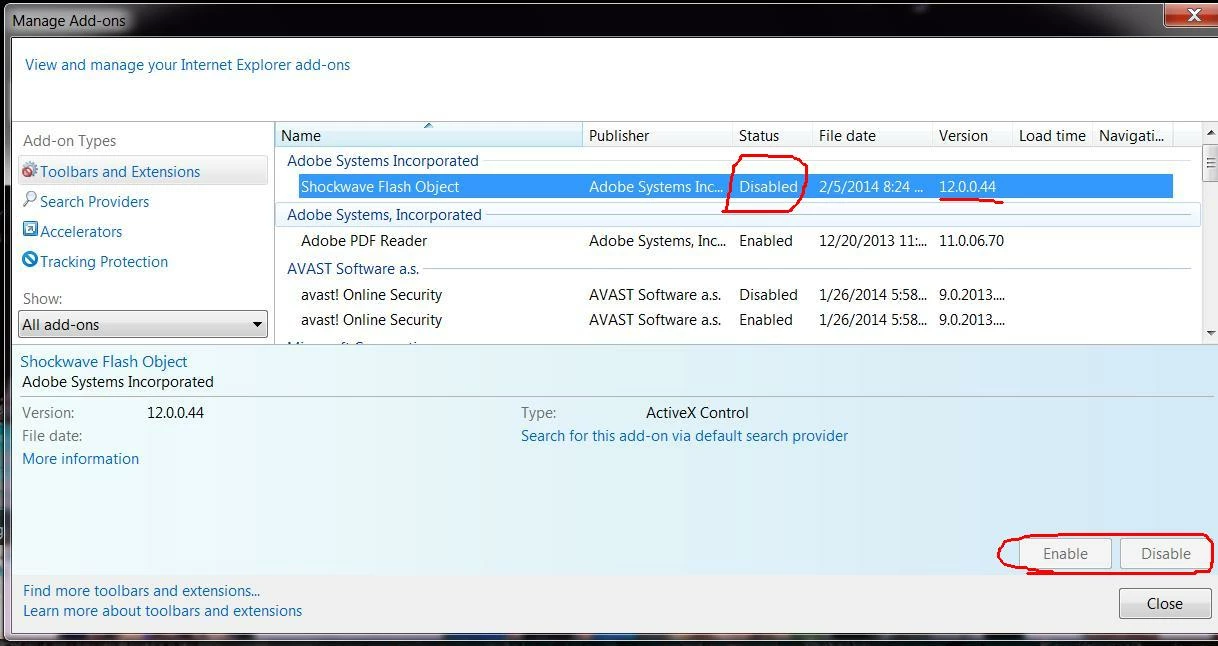
Why can't I enable flash 12.0.0.44 in IE 9-but ok in firefox
I am able to watch you tube videos with adobe flash in Firefox 27.0, but I do not want to use Firefox - I prefer IE9,10 or 11 and use that browser on my other PCs.
I have set this Win 7 Pro 32 bit side-by-side with another PC that is running Win 7 Ulimate 64 bit which has IE 11.0.9600.16476 installed, and have gone through ever parameter I can find and matched them as closely as I can (minor setting differences between IE 9 and IE 11).
This morning I had IE 11 on both machines but I have gone backwards on the non-working flash 32 bit machine hoping to find the key to installing and enabling Adobe Flash 12.0.0.44 on the Win 7 32 bit machine.
Finally i installed Firefox on the Win 7 32 bit PC and it works fine on that browser platform.
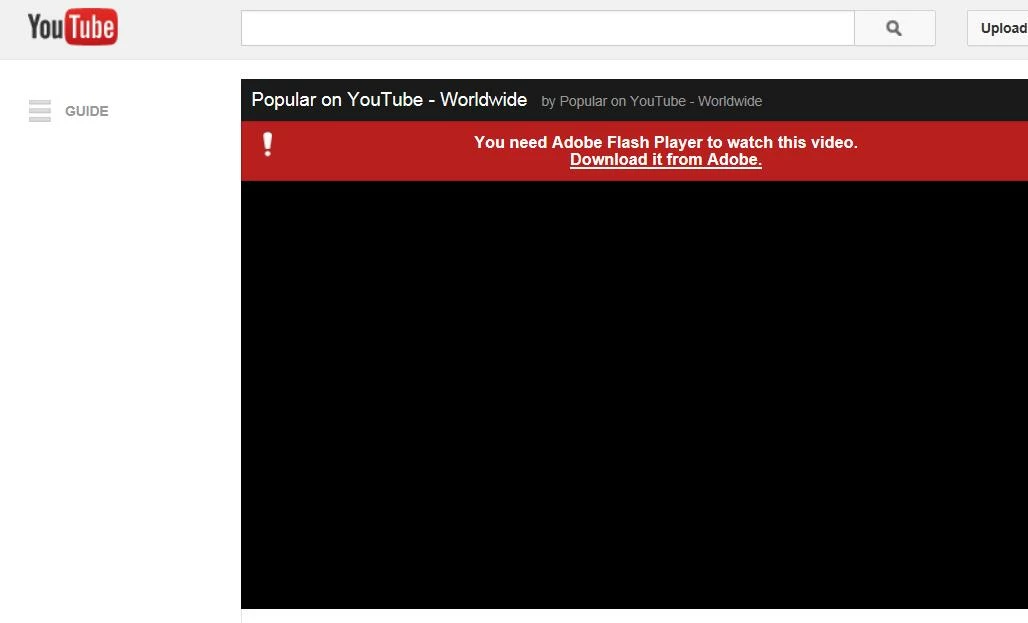
WHAT IS WRONG WITH IE 9 (10 and 11) in the 32 bit environment? I have followed all the Adobe support pages with how to uninstall and start from scratch. I still cannot get Flash to enable and when going to you tube it continues to tell me I need to install Flash Player. Finally I was able to get You Tube videos to play using in IE using YouTube HTML5 Video Player, BUT will absolutely not use the Flash 12.0.0.44
 AdChoices