


July 6, 2014
Question

Why do I keep getting the Flash Player update message?

  • July 6, 2014
  • 1 reply
  • 2104 views

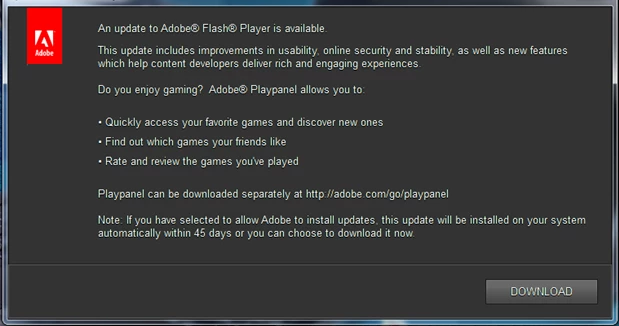
Every time I switch on my PC I get a message from Adobe about an available update to Flash Player.  If I try to download/install from the message, it fails. I already have Flash Player. I asked Norton to help and yesterday they downloaded Flash Player onto my PC from the Adobe website.  I'm on Windows 7 and the version of Flash Player I have seems to be 13.0.0.214 but I STILL keep getting the message from Adobe inviting me to install the update.  it is driving me mad.  Here's a copy of the message:
This topic has been closed for replies.

1 reply

pwillener
Legend
July 7, 2014

It's not enough to "download" the latest Flash Player version; you also need to install it.

Get the latest Flash Player 14.0.0.125 from

July 7, 2014

Hi Pat

Apologies if my email didn't make it clear that I had been trying to download and install the latest version of Adobe Flash Player by following the instructions in their message, but it always failed.  Then Norton downloaded and installed it on my PC (remotely) while I watched, but when I checked the programmes on my PC it wasn't the latest version that appeared on the list.  However following your email I have tried again just now (by downloading and installing from Adobe's website) and it installed OK and the latest version now shows on my programmes.  Fingers crossed that I don't get that message again next time I switch on my laptop...!

Many thanks for responding.

Kind regards,

Heather