


Participant
March 20, 2017
Question

Windows 10 64bit IE11 Flash not working

  • March 20, 2017
  • 1 reply
  • 6590 views

Hello

I am running W10 on 64bit and use IE11. I need flash player to run but it won't work. I go to install it but get a message saying it is automatically installed with IE11 and just needs enabling.
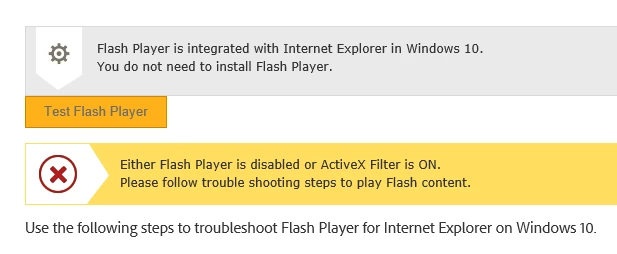
I followed the steps on the help page to enable the addon and turn off the filter. But these were already set.

When I go to Flash Player Help I get this
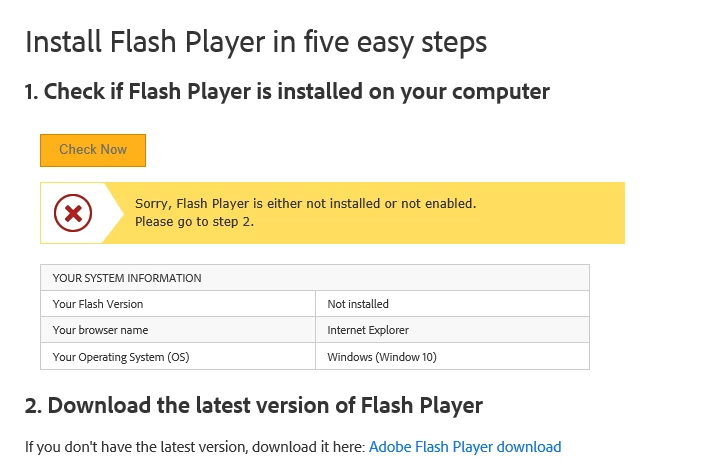
So it says I need to install it, when I click the install link it takes me back to the first page saying its automatically installed and to click test.

Any ideas how to fix this? I dont want to have to reimage my machine just for flash player to install.

Thank you

This topic has been closed for replies.

1 reply

divya010193
Adobe Employee
Adobe Employee
March 21, 2017

HI,

For Win 10/8.x Microsoft embeds Flash Player in IE and all Flash Player for IE updates are released by Microsoft, not Adobe. 

You can use instructions on Flash Player Issues | Windows 10 | Internet Explorer to resolve the issue.

Thanks!

Participant
March 21, 2017

Thank you for your reply. I have already been to that site and just keeps going around in circles. I click the test button and it says it is disabled and to follow the steps. I follow the steps but it makes no difference. I have uninistalled the windows update for flash then manually installed update KB4010250 as this is working on my colleagues PC but still no joy.

divya010193
Adobe Employee
Adobe Employee
March 21, 2017

Do you have any 3rd party application/ anti-virus installed which blocks Flash Content from running on your system. If Yes, then Please either add Flash as Trusted Software to that application/antivirus.