
Windows 7 IE 11 Persistent "This webpage wants to run the following add-on"
Hi, I'm having trouble with an install of Flash player on a Windows 7 64-bit computer running Internet Explorer 11. It started after removing all Flash related installs and installing the latest version (32.0.0.114 at the time of posting) to troubleshoot a separate program that uses Flash.
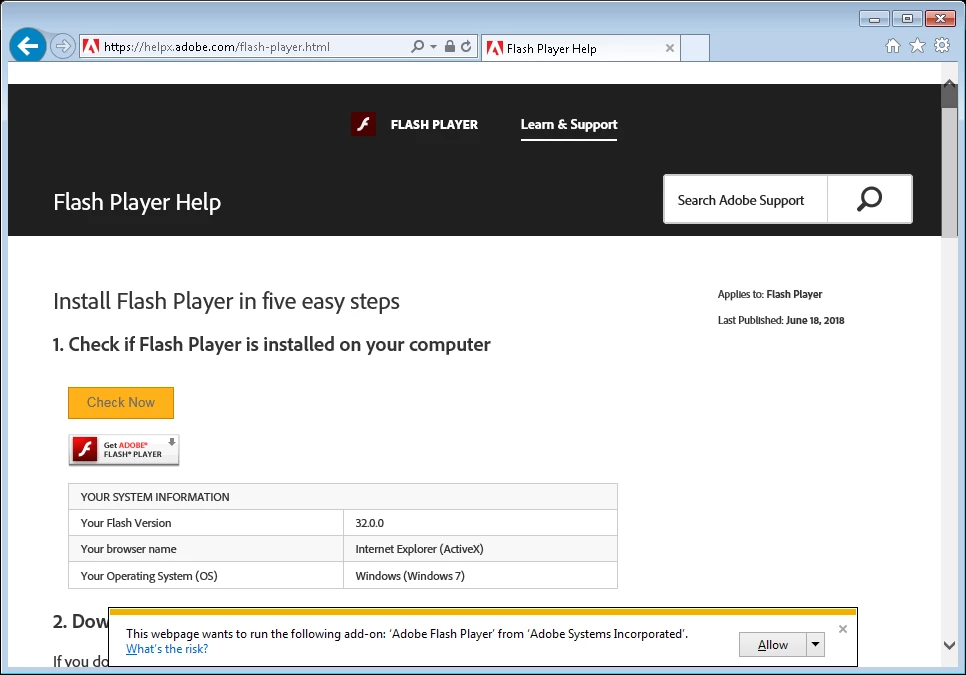
After installing, IE continually has the prompt "This webpage wants to run the following add-on: 'Adobe Flash Player' from 'Adobe Systems Incorporated'." Neither clicking Allow or Allow on All Websites has any effect. The page refreshes and the prompt returns.
When going to this page https://helpx.adobe.com/flash-player.html and clicking Check Now it says that Flash is installed, but for version it only says "32.0.0" and the animation further down on the page does not load.
Troubleshooting I've done:
Run Adobe's Flash uninstaller and reinstalled
Reset Internet Explorer Settings
Verified the Shockwave Flash Object is allowed on all sites in IE's add-on settings
Verified ActiveX Filtering is not enabled in IE
Enabling "Enhanced Protected Mode" in IE
Run Adobe's Flash Uninstaller and tried a previous version, 32.0.0.101
Does anyone have any thoughts on what more I could try?


 AdChoices