
Inspiring
September 9, 2010
Answered

Embedded Font Issue.

  • September 9, 2010
  • 1 reply
  • 933 views

I created a separate Flex project to isolate a section of my application that I developed using TLF from my main project.   In this isolated project and in my main project, I reference a Flex Library in my workspace that is acting as my font library.  I am using an external CSS file that is referenced by <fx:Style> in the <s:WindowedApplication> file.  When I run this project, it renders the styles (color and size) and the embedded font as expected.

After about a week of developing this isolated project I integrated it in the main app.  Everything worked as it did in the isolated app, even the styles (color and size) except the embedded font fails to be rendered!

After troubleshooting for a day and a half on this I cannot think of any reason why this is.  There are FTE components, right next to my TLF component, that are using the same embedded font that the TLF component is trying to use!

Is there something I should be looking for that will indicate the reason for behavior?

See image below on how I instantiated the TextFlow.
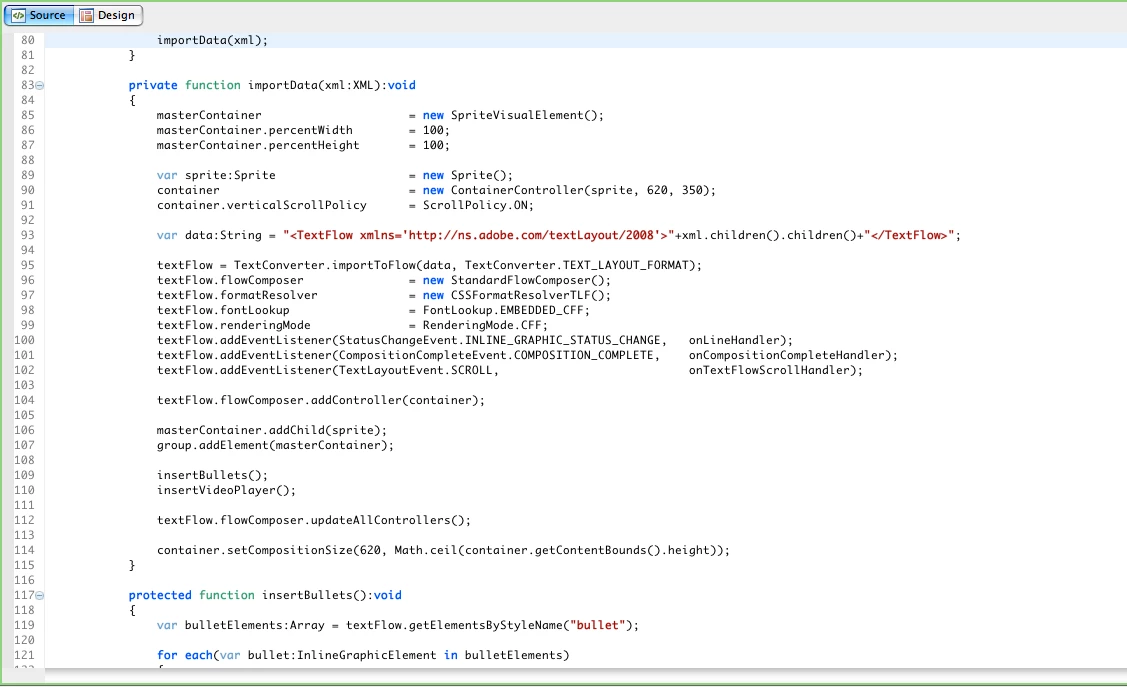
This topic has been closed for replies.
Correct answer box86rowh

Not sure if this will help you, but in order to get my embedded fonts to render, I had to do:

                GlobalSettings.resolveFontLookupFunction = null;
                //setup text item from xml
                var res:XML = XML(xml.htmlText.children()[0]);
                var tf:TextFlow = TextFlowUtil.importFromXML(res,WhiteSpaceCollapse.PRESERVE);
                tf.renderingMode = RenderingMode.CFF;
                tf.fontLookup = FontLookup.EMBEDDED_CFF;
                txt.textFlow = tf;
                txt.textFlow.whiteSpaceCollapse = WhiteSpaceCollapse.PRESERVE;
                txt.textFlow.invalidateAllFormats();

The important lines ar the first and last.

1 reply

box86rowhCorrect answer
Inspiring
September 10, 2010

Not sure if this will help you, but in order to get my embedded fonts to render, I had to do:

                GlobalSettings.resolveFontLookupFunction = null;
                //setup text item from xml
                var res:XML = XML(xml.htmlText.children()[0]);
                var tf:TextFlow = TextFlowUtil.importFromXML(res,WhiteSpaceCollapse.PRESERVE);
                tf.renderingMode = RenderingMode.CFF;
                tf.fontLookup = FontLookup.EMBEDDED_CFF;
                txt.textFlow = tf;
                txt.textFlow.whiteSpaceCollapse = WhiteSpaceCollapse.PRESERVE;
                txt.textFlow.invalidateAllFormats();

The important lines ar the first and last.

injpixAuthor
Inspiring
September 10, 2010

Ahh!  It worked!  I ended up using just the first and last lines, as you mentioned.  I am sure for the meantime this will relieve the excess pressure against my throat when shaving with my straight blade razor.

Thanks so much for that info!

Adobe Employee
September 10, 2010

Alex's blog post may help with understanding what's going on.

http://blogs.adobe.com/aharui/2010/03/flex_and_embedded_fonts.html

FYI changing that global function may impact Flex's ability to lookup fonts.  Better might be to replace the function with one that calls the original when its not your TextFlow.  Something like that.

Hope that helps,

Richard