
August 12, 2010
Question

how to import arabic plain text in flash

  • August 12, 2010
  • 2 replies
  • 2127 views

i am  a beginner in as3 and i want to import arabic text in flash cs5

using tlf

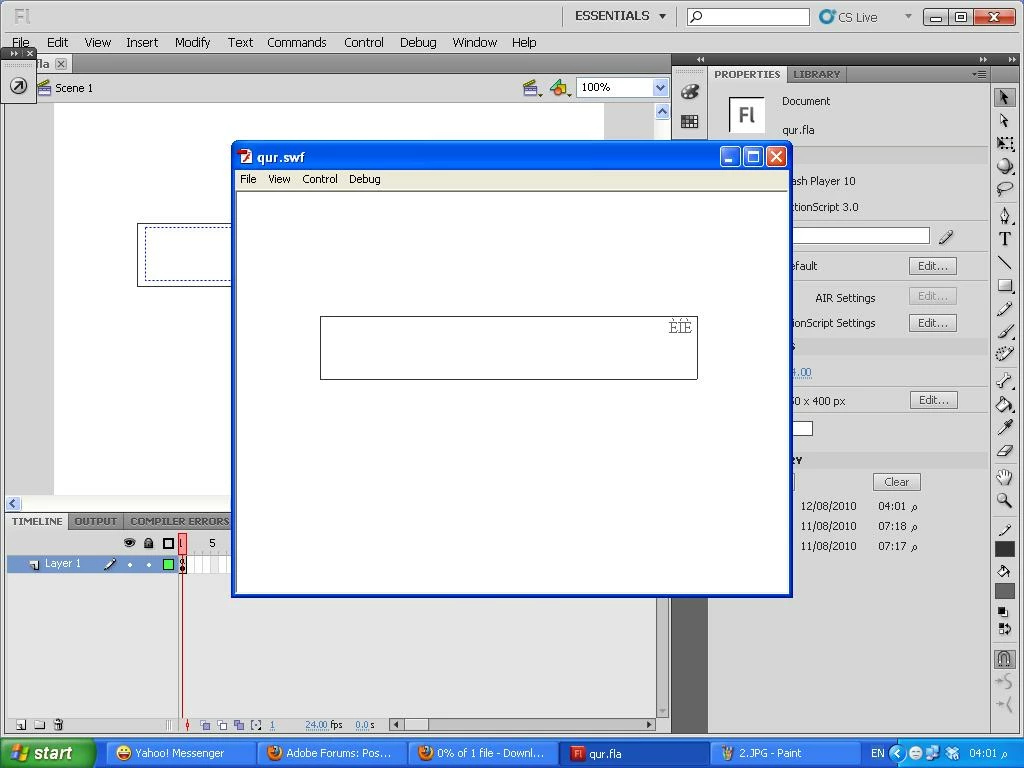
but the text in the result not look write

what i do wrong

i feel it is easy

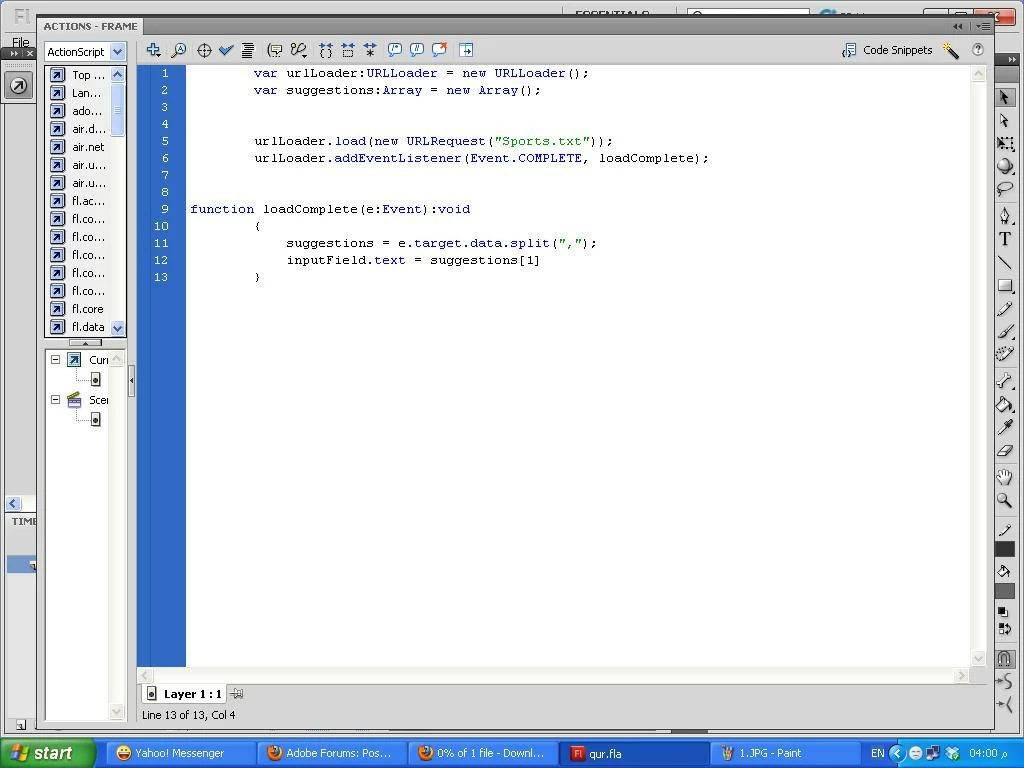
this is the program
thes is as3 code
the result
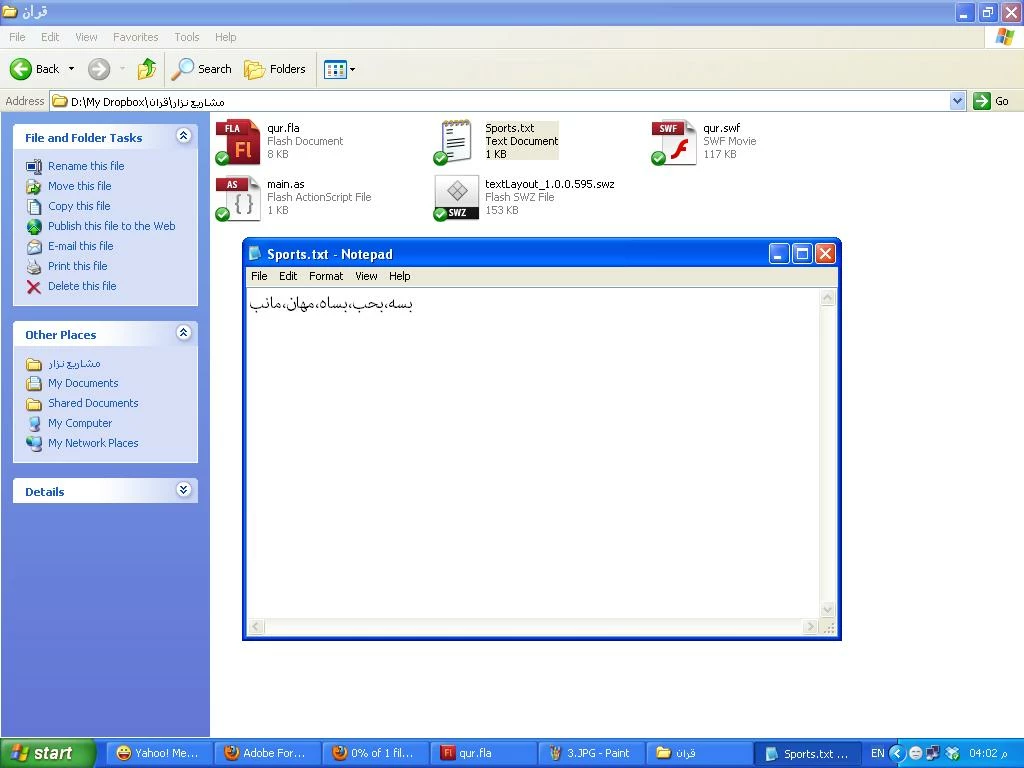
the text file
thanks in advance

This topic has been closed for replies.

2 replies

August 16, 2010

Nezar71,

Could you post your "Sports.txt" in this thread? (I'm not very good at typing arabic).

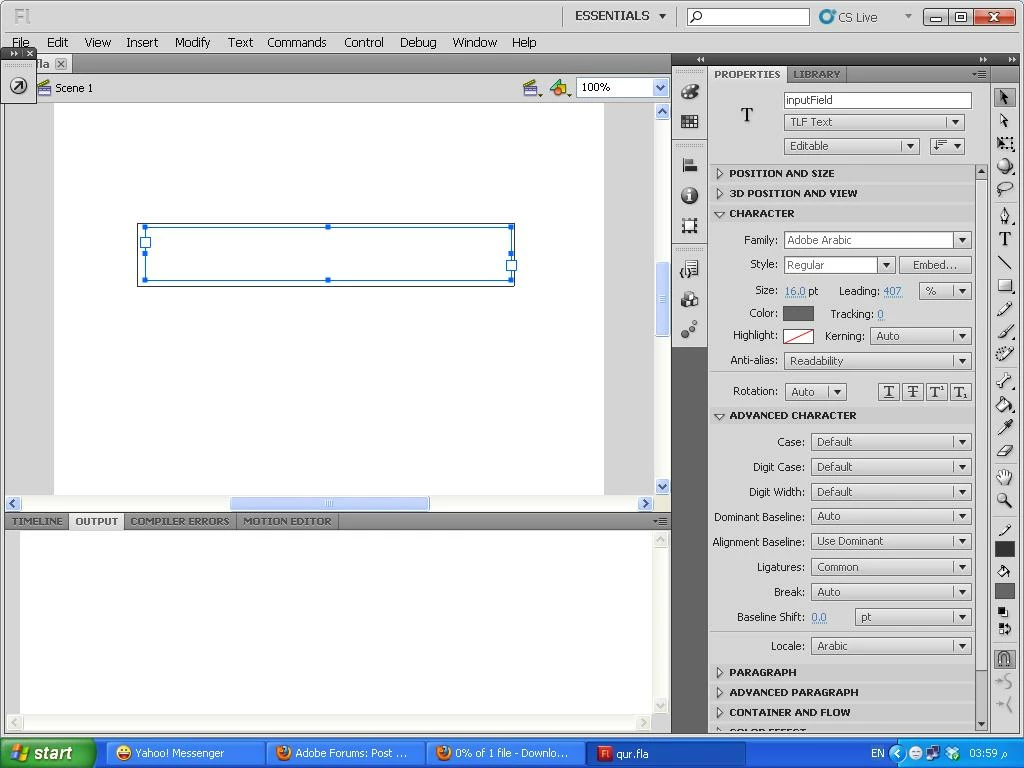
I think you're problem is likely tied to the fact that you have "Readability" set for the Antialias setting. While there's nothing wrong with that, per se, what you're effectively telling Flash to do is use Adobe Arabic as an embedded font in the SWF. By default, Flash uses the glyphs in the text object to create the smallest font possible. Since you're loading the text dynamically and since your text object doesn't have any glyphs, you're probably embedding an empty font (one with 0 glyphs). To embed specific characters, click the "Embed..." button in the property inspector and paste in your Sports.txt glyphs or set specific glyph ranges that you want embedded. Alternatively, just set the Anti-alias setting to "Use device fonts". That tells Flash to use the Adobe Arabic font on your system rather than embedding it into your SWF file. Of course, if you're developing a SWF for use on other systems, you can't be assured that Adobe Arabic is installed on those systems. That's why we give you the option to embed, or not embed.

Anyway, I'll be happy to look at it further if you'll post the Sports.txt.

Rusty

August 16, 2010

Looks like Craig and I both gave you the same answer.

Participating Frequently
August 16, 2010

Howdy Nezar,

The problem is you have not embedded the font. If you are going to use an anti-alias mode, other than Use Device Fonts, you have to embed the fonts. If you change the Anti-Alias to Use Device Fonts on the text block it will work. You do this in the Character area of the Text PI. If you want to use an Anti-Alias mode other than Use Device Fonts, use the Font Embedding Dialog, Text > Font Embedding, to embed all of the ranges for the font and select Export For ActionScript and the type to TLF in the ActionScript tab. This will make the fonts available during runtime.

Hope this helps.

Craig Simmons

Flash Authoring