
Inline Graphic Element Position
Hi,
Ho can I correctly place an image in a textflow? My images look like they have padding-bottom.
Here you can see the seleccion bellow the image:
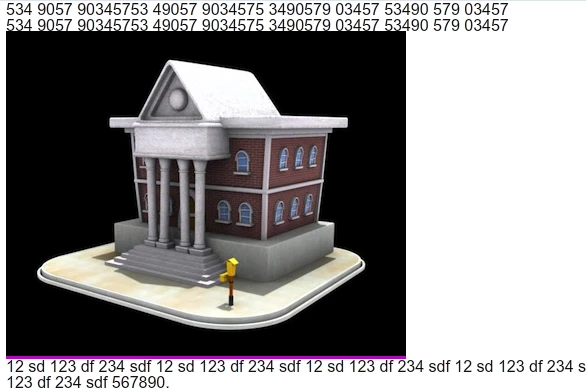
Here you can the that the image is positioned too high in relation to the text line selection.
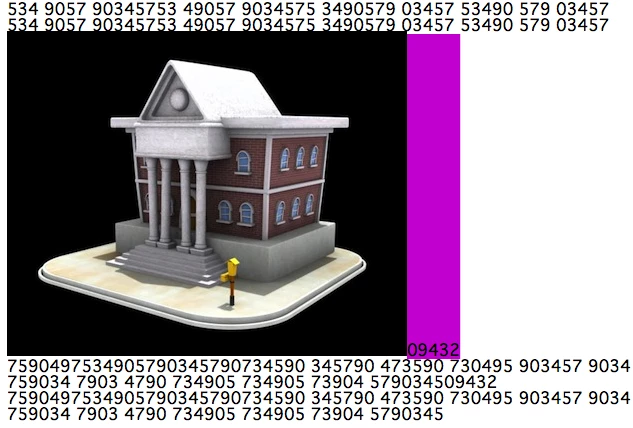
I guess this can be fixd in the textflow marpup, here is what I'm using:
var markup2:String = "<TextFlow xmlns='http://ns.adobe.com/textLayout/2008' fontSize='16' textIndent='0' paragraphSpaceAfter='0' paddingTop='0' paddingBottom='0' paddingLeft='0' paddingRight='0' lineHeight='100%' >" +
"<TextLayoutFormat color='#ff0000' id='hoverOverBrand' />" +
"<TextLayoutFormat color='#00ff0F' id='mouseDownOverBrand' textDecoration='underline' />" +
"<TextLayoutFormat color='#0000ff' id='defaultLinkBrand'/>" +
"<TextLayoutFormat color='#0000ff' id='hoverOverEmail'/>" +
"<TextLayoutFormat color='#0000ff' id='mouseDownOverEmail' lineThrough='true' />";
Any ideas?


 AdChoices