
Participant
January 6, 2021
Question

Can't check out frame: You are currently editing 'filename' in another frame.

  • January 6, 2021
  • 3 replies
  • 2171 views

Hi, 

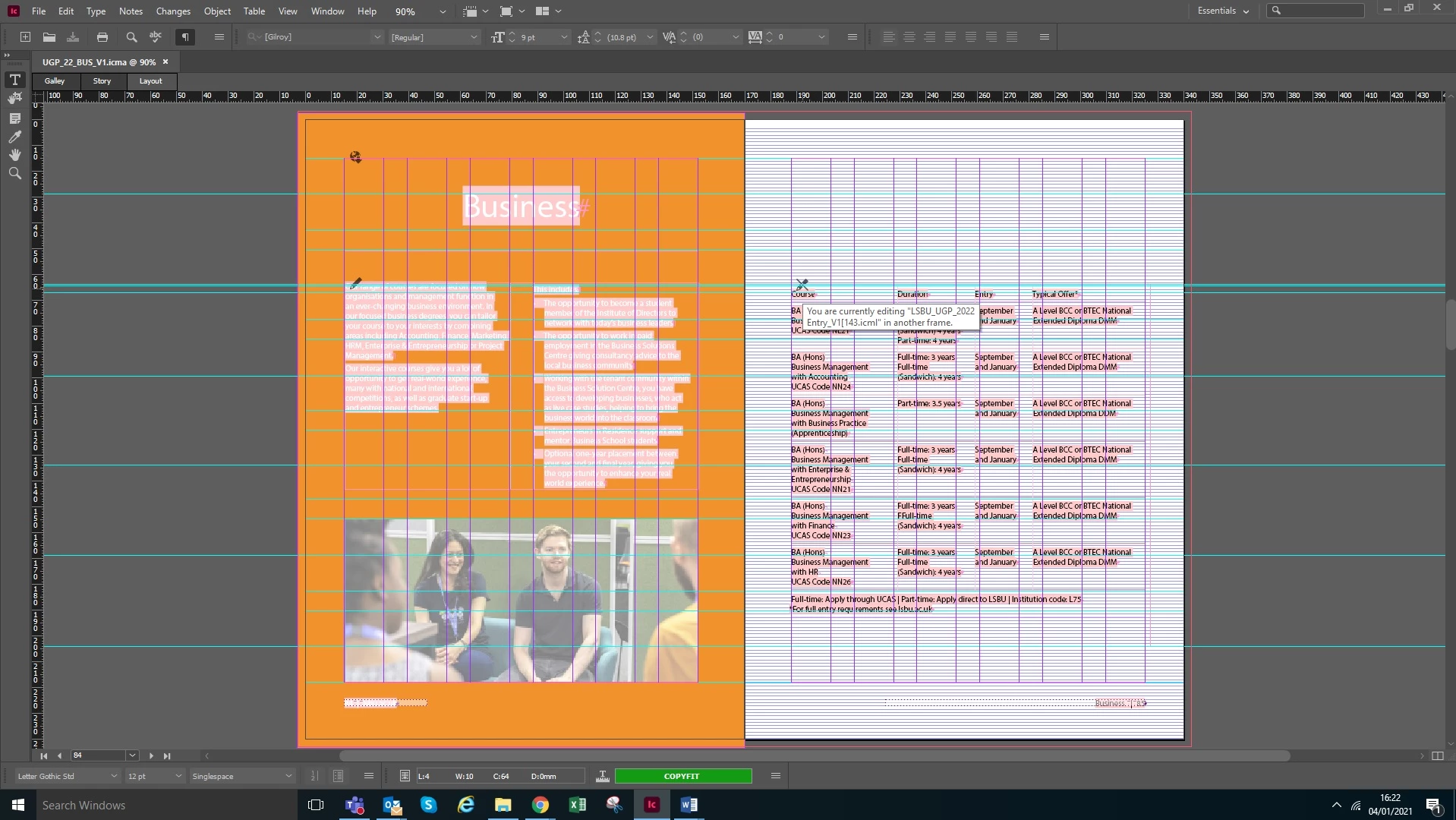
I'm working on a prospectus with my team and using InCopy with them for the first time. One of the copy editors has encountered this issue where she can't check out a frame and message says You are currently editing 'filename' in another frame. Screenshot below of the message. 
The text frame is a threaded frame to another on the following page as its a continuous table but she gets the same message on the frame too. 
She's working form the ICMA assignment file I emailed to her. I'm aware this isn't the best workflow, the project team didn't want to use dropbox due to a whole host of IT issues we are having at the moment. She using InCopy Version 16.0.1.

Does anyone know whats going on because I can't work it out for the life of me? And she can't package the file for InDesign to send back to me until it's checked in. 

Thanks so much for any help in advance! 
 

3 replies

Participant
March 2, 2024

When you got this problem , you see the box : You ate currently editing "file name" in another frame.

and you see the seconde box have the "link" with the yellow triangle (see below) . 


You double click to the triangle, they show the next box:


 You click to : "unlink" (blue row), the yellow triangle close.

and you will type the word!

Thank!

Participant
March 22, 2022

I know this reply is way too late for OP, so this is for anyone else who might experience the same issue.

This is caused by a hidden lock-file. If this file for some reason isnt deleted as it should, you wil get the "You are currently editing 'filename' in another frame" and still be unable to check the file in.


So simply show hidden files in the folder with the "offending" ICML and delete the lock-file.

This should fix the issue.

susans17734244
Participating Frequently
August 26, 2022

Hi Flippy,
I am experiencing this problem. InDesign crashed, lost a ton of work, and am unable to check in assignments. I can't determine how to show hidden files. I've attached a screengrab of some of the offending assignments. Can't figure this out. Can you advise?

Nightshde v2
Participating Frequently
September 8, 2022

When you mouse over the crossed out pencil icon check what it lists for the file location and make sure it is actually pointing to the file you are currently using.

I just ran into this issue where I had changed the parent folder name not knowing I hadn't checked in all the text and so when I went back in to edit the file it kept saying it was check out by me in another frame. Eventualy I figured out that it was pointing to the old folder name and when I changed the parent folder back to the original name I had access again and could edit and check in the text again.

Clare L-BAuthor
Participant
January 6, 2021

Sorry its an ICAP, not ICMA! 

BobLevine
Community Expert
Community Expert
January 6, 2021
Not the best workflow is an understatement. You don't say what IT issues you're having but get them fixed and stop using that workflow. It's nothing but trouble.