Inspiring
Jan 11, 2022 8:40 PM UTC
Answered

Can't edit in InCopy. Seeing an "no" symbol.

I am seeing a prohibit symbol (circle with a slash through it) when trying to make an edit in the layout view of InCopy. Anybody know what that means?

    This topic is closed to new replies. Start a new post to keep the conversation going.
    rosie.rosenbrockCorrect answer
    Inspiring
    Jan 12, 2022 8:30 PM UTC

    I like a challenge. 🙂 


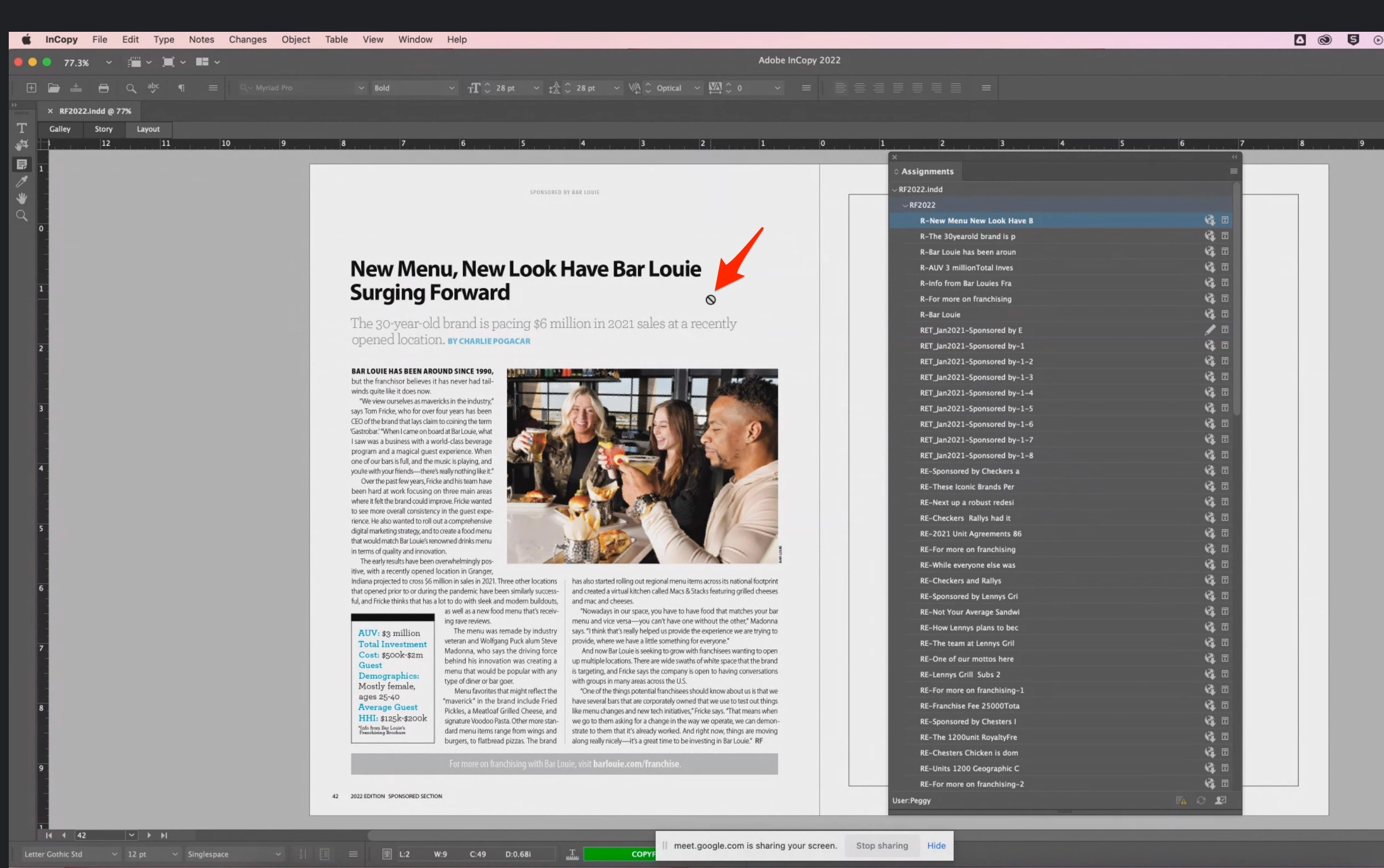
    BTW, for right now, I don't need to see the mouse icon change. Let me see the assignments panel, fully expanded and one of the stories with the adornments visible.


    You should see here the "prohibit" icon that my editor is seeing in every InDesign file. After looking at this screenshot more carefully, I can see she has the "note" tool selected! After asking her to switch to the "text" tool, everything is as it should be. 


    This turned out to be a very easy fix. I'm tempted to delete this post altogether because it's an embarrassment, but perhaps it will help someone else. 


    Again, thanks for your time, Bob. 

    14 replies

    BobLevine
    Community Expert
    Community Expert
    Jan 11, 2022 8:47 PM UTC

    Given your complete lack of information, my only thought is that the InDesign user did not export that content and make it available for InCopy

    Translate
    Inspiring
    Jan 11, 2022 8:52 PM UTC

    The content was exported correctly, because other editors are able to open it and edit without this problem. It's just one user that is seeing this "no" symbol. The file is on Google Drive.

    Translate
    BobLevine
    Community Expert
    Community Expert
    Jan 12, 2022 1:00 PM UTC

    Is everyone using the same version of InDesign / InCopy? I’m not a fan of Google Drive but make sure that everyone involved has any smart sync type of feature turned off!


    Don’t use assignments, either. Just open the INDD file in InCopy.

    Translate