
Inspiring
May 5, 2020
Question

How to do edits in ICAP file

  • May 5, 2020
  • 1 reply
  • 631 views

Hi 


I am new to Incopy, I received ICAP file from customer. I opened that file in Incopy 2020. I know that its a package file from Incopy. I can open the file, but I can't do edit correction in that file. Please let us know the procedure how to perfrom the edits in ICAP file. But while opening that file i got this attached msg.
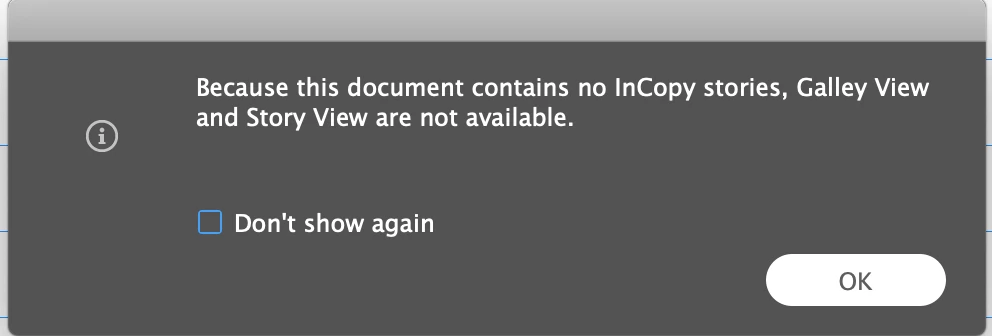
 

Its an urgent request anyone please let us know the process.

    This topic has been closed for replies.

    1 reply

    BobLevine
    Community Expert
    Community Expert
    May 5, 2020

    I can't possibly recommend this workflow anymore. Have whoever sent it to you put all the appropriate files in a Dropbox or OneDrive folder and share that with you. Then, open the INDD file in InCopy.


    That error indicates that there is no InCopy content in the assignment and that leaves me wondering how well the InDesign knows this workflow.

    Ganesh_InAuthor
    Inspiring
    May 6, 2020

    Hi Bob

    Thanks for your reply, I didn't received InDesign file from customer. I Just received ICAP File, I can able to open the ICAP file in InCopy, but can't edit the content. I attached the screen shot of received file.


    As per your statement, I need to ask the client to place all the files in Dropcap or Onedrive then I can open the file.?

    After opening the ICAP file in Incopy under the Assignment Menu it shows the ICMA as Assignment Package. I attached screenshot for your reference.


    BobLevine
    Community Expert
    Community Expert
    May 6, 2020

    My advice has not changed. Stop using this workflow and follow my advice from above. 

    It would appear that whoever sent you that package does not understand how this works.