
InCopy damaging files
Having some trouble with a magazine I am working on. I am the designer and I have two editors. Editor 1 works in the same office as I do. Editor 2 works in another state. We are all collaborating on this project via Creative Cloud, so we can all open the file at the same time (me in InDesign, them in InCopy)
We all have CC2018 and have all installed the latest updates. We all work on macs.
Editor 1 keeps getting messages that say the .indd file is damaged. She is just working along nicely, then her InCopy crashes, and she get this error message when she attempts to open it back up.
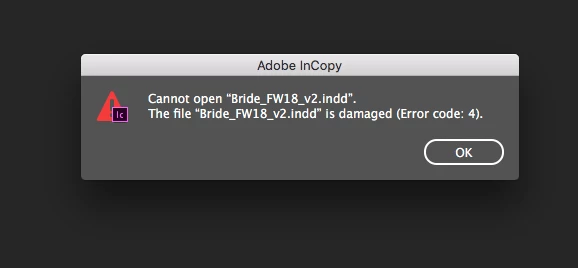
As a fix, (I make sure BOTH editors are out of the file before I do this) I remove all inCopy assignments (I am working in InDesign) make a copy of the Indd document in Creative Cloud, then re export all the copy to InCopy.
Then both editors open the NEW .indd doc directly to InCopy and everything is fine for a while.
I had Editor1 reset her preferences, but she got this error message again, a day later. Every message board I read says resetting prefs fixes the problem, but they were referring to InDesign, not InCopy. Cannot find a thread specific to InCopy.
Neither myself or editor 2 have received this message. It's really becoming a huge PAIN and I am hoping someone else has been able to get to the bottom of this problem!


 AdChoices