
InCopy fails to export a PDF
When I try to export a PDF from InCopy, I get the attached error message.
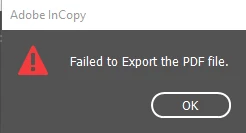
This happens with any file. I can export as text files, but when I try to export as an EPS file, I also get an error, this one saying:
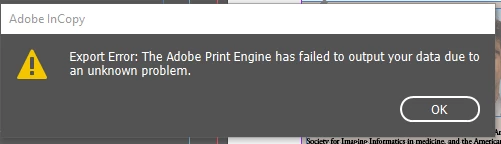
I've tried searching online but everything I find for this error is regarding InDesign, not InCopy.
I don't know if it's related, but also lately when I open a file after restarting my computer, anything in Adobe Garamond Pro is highlighted in pink. If I go to Creative Cloud, the font is still showing as active, but it won't appear properly in InCopy files unless I deactivate the font in Creative Cloud & reactivate it.
If I try to export a PDF before I fix the Garamond issue, I do not get that error. However, once I fix the Garamond issue, the PDF error happens.
I usually end up having to go in a repeat cycle of deactivating, reactivating the font, opening and closing files, restarting my computer, until finally it will export a PDF without error, but it will only do it once, and then the next file I try to export a PDF from will give me that error.
I can't change the font because it's one of the standard fonts for our publication.
As far as I know, no one else in our department is having this issues. IT has poked around but nothing has helped.
Any ideas?


 AdChoices