

Answered
Interface Panels not Displaying Correctly
Hi,
I'm not sure of the correct terminology, so please forgive my explanation.
I've been having an ongoing problem with InCopy that is steadily getting worse. It started when I lost the 'Gallery and Story Appearance' bar at the bottom of the screen. Although, 'lost' is the wrong word, it's still there, it's just a blank panel. The same problem has now afflicted the Paragraph Styles and Table Cell Styles panels. They are still there but information is not showing.
I've tried uninstal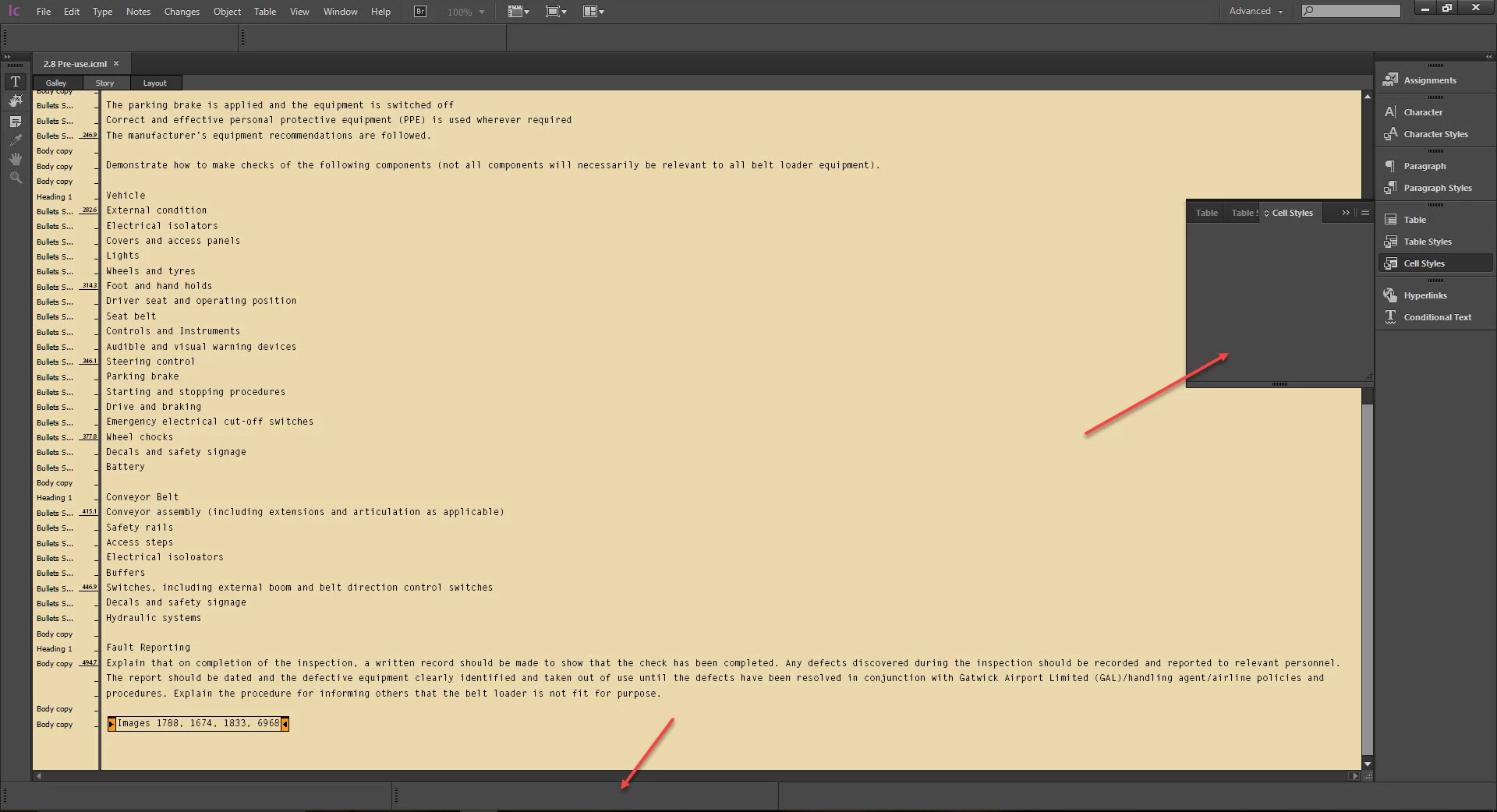 ling and reinstalling; uninstalling, rebooting and reinstalling; changing screen resolution, all sorts, but nothing seems to fix it.
Has anybody experienced this and if so, what did you do to resolve it?
Many thanks,
Alex


 AdChoices