
Participant
March 21, 2018
Answered

Text in connected frames showing in first frame only in layout view

  • March 21, 2018
  • 1 reply
  • 435 views

I have a few editors experiencing the same problem on InCopy, when editing in layout view.

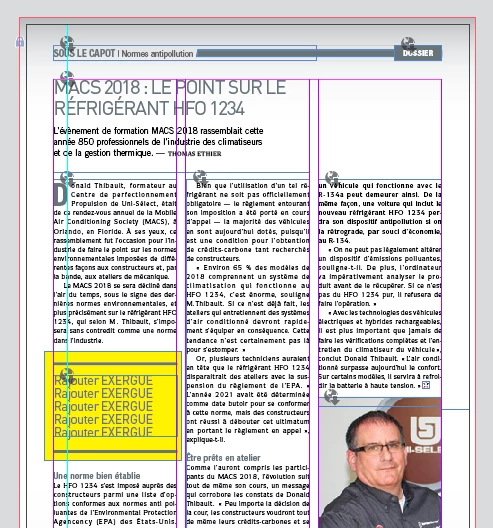
When they open the assignment, the text is shown only in the first frame with the + icon in the bottom right corner. The text should fill the other two columns as well.

If I look at the InDesign document, all text frames are part of the assignment and the text is showing properly in the three columns.
Any way to fix this issue?
    This topic has been closed for replies.
    Correct answer BobLevine

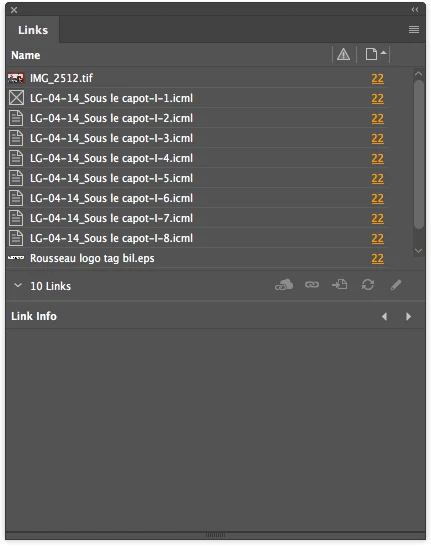
    In a different folder. There's no missing links.


    Then I suggest a new folder structure where the INDD file is by itself, the links are in their own folder and the ICML files are in another. Skip the ICMA thing. There's no benefit to it that I can see here.

    Yes, it should work, but I've seen lots of issues fixed in the past by not using assignments.

    1 reply

    BobLevine
    Community Expert
    Community Expert
    March 21, 2018

    What if they open the INDD file instead of the ICMA file?

    RCA_LouisAuthor
    Participant
    March 22, 2018

    It does show up properly, but we're hiding those files in another folder. We have a lot of people going in these folders and we want to make sure nothing happens to the original file.

    BobLevine
    Community Expert
    Community Expert
    March 22, 2018

    Hiding the files how? If the users have no access to them, they’ll show as missing links and they won’t be able to check them out and work on them.

    I have a feeling that’s the problem.

    Nothing with nothing here, but it sounds like your biggest problem if finding reliable people to work with.