
Participant
September 20, 2018
Answered

Word count missing from InCopy

  • September 20, 2018
  • 1 reply
  • 2429 views

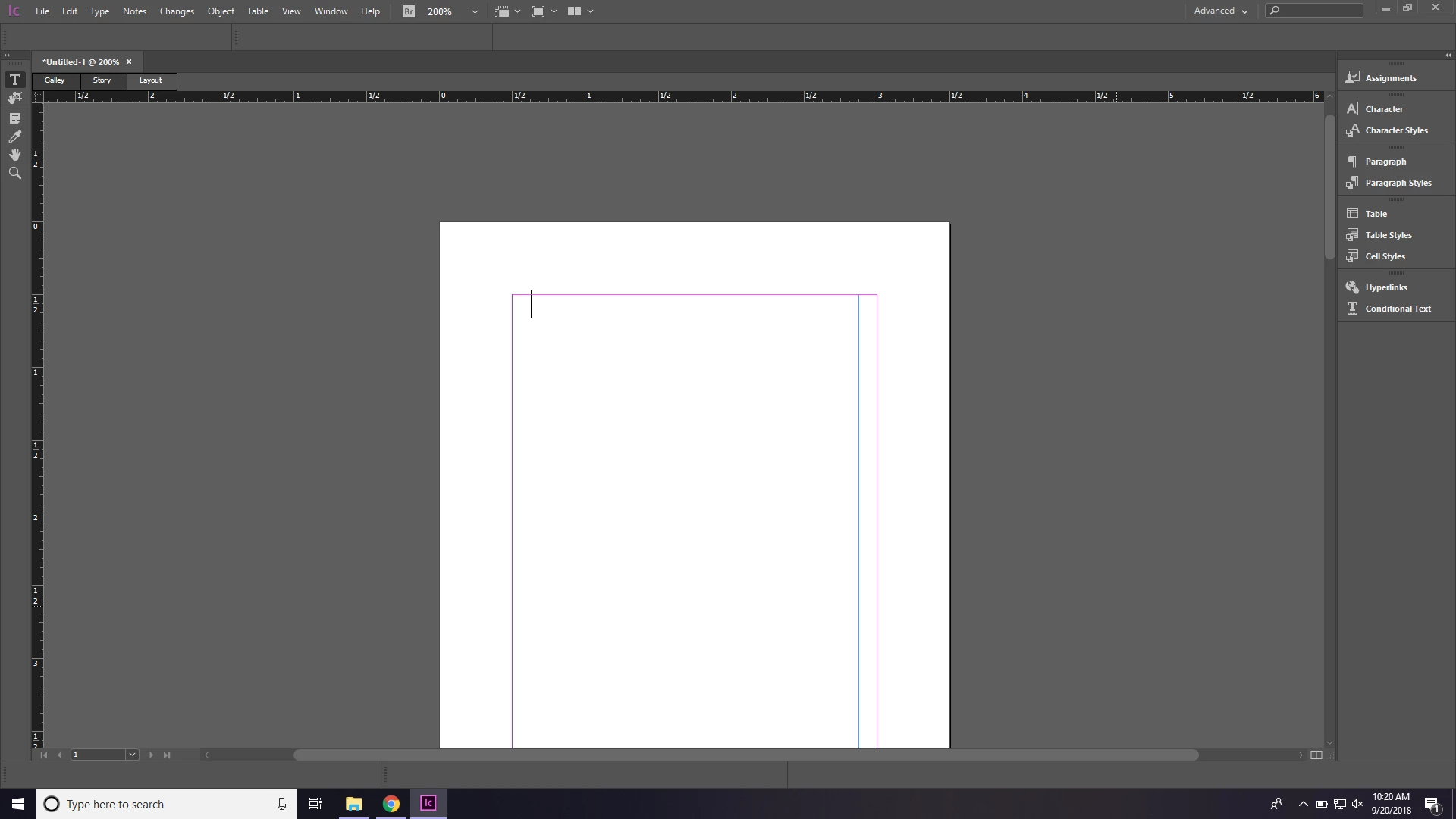
I recently bought a new laptop and installed InCopy, but the word count I usually see at the bottom of my window is missing. I already tried resetting my workspace, changing my display, trying a different workspace, and going to window---copyfit. But none of that worked. If I knew what the tool was called and where it was in the menu, I could just drag it out and place it myself, but I can't seem to find it anywhere.
This topic has been closed for replies.
Correct answer BobLevine

Yeah I'm sure. I have a PC laptop, no dual screens. It used to appear down below.


If you’ve tried everything else, you may need to reset your preferences.

https://forums.adobe.com/thread/526990

That’s for InDesign but works the same in InCopy

1 reply

BobLevine
Community Expert
Community Expert
September 20, 2018

Window > Copyfit info

Participant
September 20, 2018

I already did that. It didn't work.

BobLevine
Community Expert
Community Expert
September 20, 2018

Are you sure it’s not off the screen? Do you use dual monitors? Are you on Mac or Windows? If Mac, turn on the application frame.