
Known Participant
October 17, 2011
Question

dynamicstream.f4m not working from index file of new install of 4.03 server

  • October 17, 2011
  • 2 replies
  • 2003 views

I'm doing a test install before we update our old server to 4.03.

I've got the server software installed and configured (4.03 server, using iis for web).

All the test stuff on the sample index page works, except for the dynamic stream tab.

I've eyeballed the .f4m file, and tried putting in a complete url to the samples...but no luck.

i just keep getting the stock connection timed out message. 
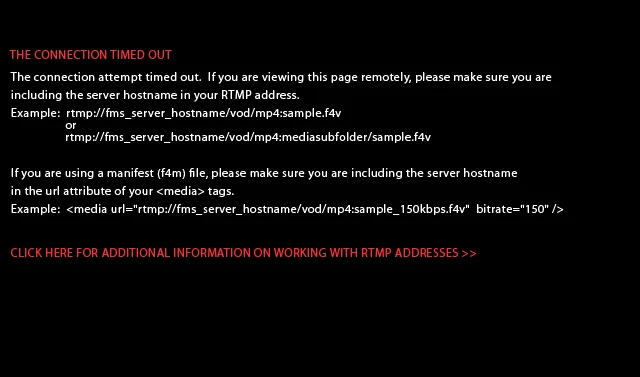
Where do i need to look to start confiriming where this issue may be coming from?

I've made made sure I can reach all the test videos by making flash players for them, calling them via rtmp... no problems.

It's got to be something dumb with either the f4m file, or the way it's being served   (btw, i have added all the mime types to iis , including .f4m as video/mp4....which is one of two ways I've seen it added).

next steps in trouble shooting this?

    This topic has been closed for replies.

    2 replies

    Known Participant
    October 19, 2011

    I've discovered the issue was that in iis, f4m was not registered as a mime type.

    I had registered it i couple of times in my test installs, and didnt notice a change at the client end in my tests.   But what had happened was that Chrome never cleared it's cache...so it never reflected the change from the web server.

    On one of my last test installs, i noticed a 403 error when i viewed the dynamic test tab on the server. 

    So...enter mime type for .f4m of mp4/video and you're good to go

    Adobe Employee
    October 18, 2011

    Your dynamicStream.f4m looks like below:

    <?xml version="1.0" encoding="utf-8"?>

    <manifest xmlns="http://ns.adobe.com/f4m/1.0">

              <id>MBR</id>

              <mimeType>video/mp4</mimeType>

              <streamType>recorded</streamType>

              <media url="rtmp:/vod/mp4:sample1_150kbps.f4v"  bitrate="150" />

                 <media url="rtmp:/vod/mp4:sample1_500kbps.f4v"  bitrate="500" />

              <media url="rtmp:/vod/mp4:sample1_700kbps.f4v"  bitrate="700" />

              <media url="rtmp:/vod/mp4:sample1_1000kbps.f4v"  bitrate="1000" />

              <media url="rtmp:/vod/mp4:sample1_1500kbps.f4v"  bitrate="1500" />

    </manifest>

    You need to change it to media url to reflect FMS machine ip i.e. change it to - for example for first stream in .f4m change to

    <media url="rtmp://<your_fms_server_ip>/vod/mp4:sample1_150kbps.f4v" bitrate="150" />

    Simillary change other entries

    Known Participant
    October 18, 2011

    I tried the computer's full domain name first (<media url="rtmp://fmistest1.uwsp.edu/vod/mp4:sample1_150kbps.f4v"  bitrate="150" />.....that didn't work.

    I also tried the ip address (<media url="rtmp://143.236.34.220/vod/mp4:sample1_150kbps.f4v"  bitrate="150" /> like you showed... that doesn't work either.