April 22, 2011
Answered

Fail to use video player in Live dynamic streaming

  • April 22, 2011
  • 1 reply
  • 698 views

Need help! I'm non-developers and no have adobe flash programming skills. i want do live dynamic streaming for FMS. i have refer http://www.adobe.com/devnet/flashmediaserver/articles/live_dynstream_dvr.html . But the sample player show blank.

i using Adobe Flash Media Live Encoder 3.2, Adobe Flash Media interactive Server 3.5.3 and sample file "live_dynstream_dvr.zip".

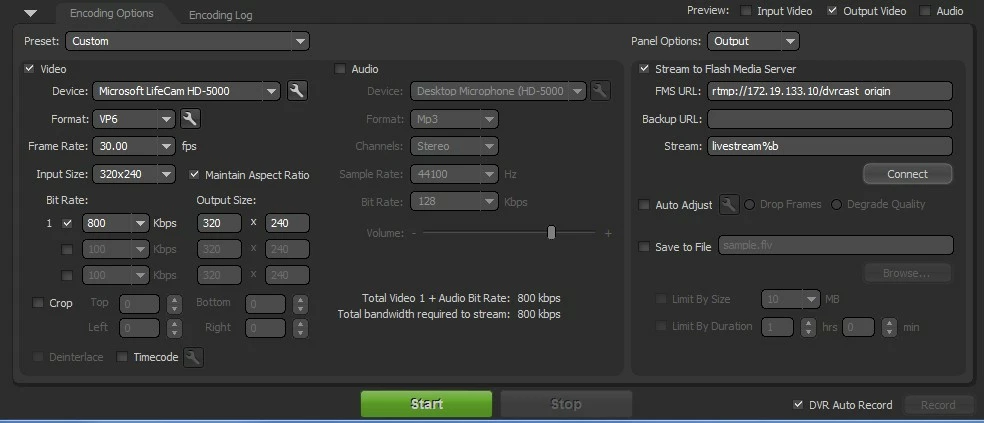
1. I setting up my FMLE and set FMS url and stream name

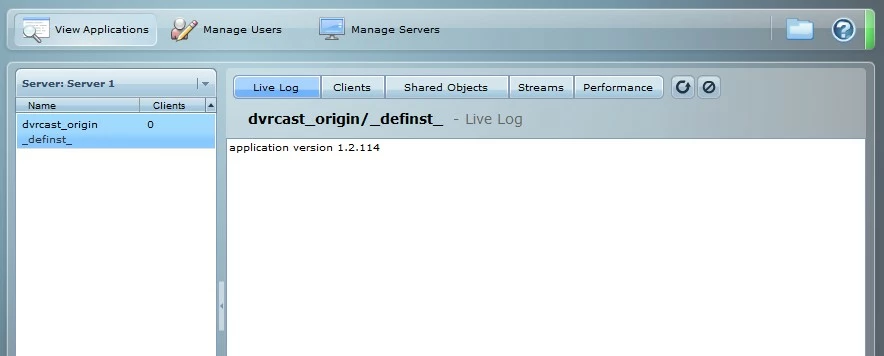
2. I monitor connection in fms_console.htm

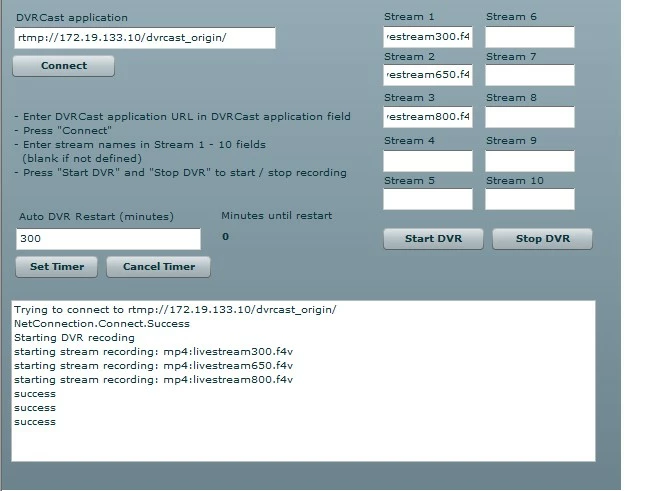
3. I run DVRController

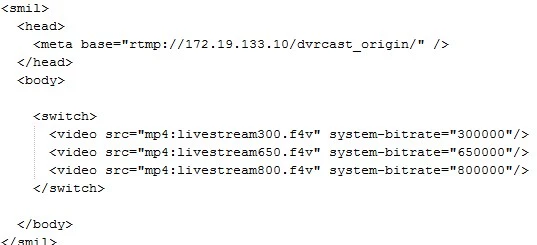
4. i configure and play the video with livedvr

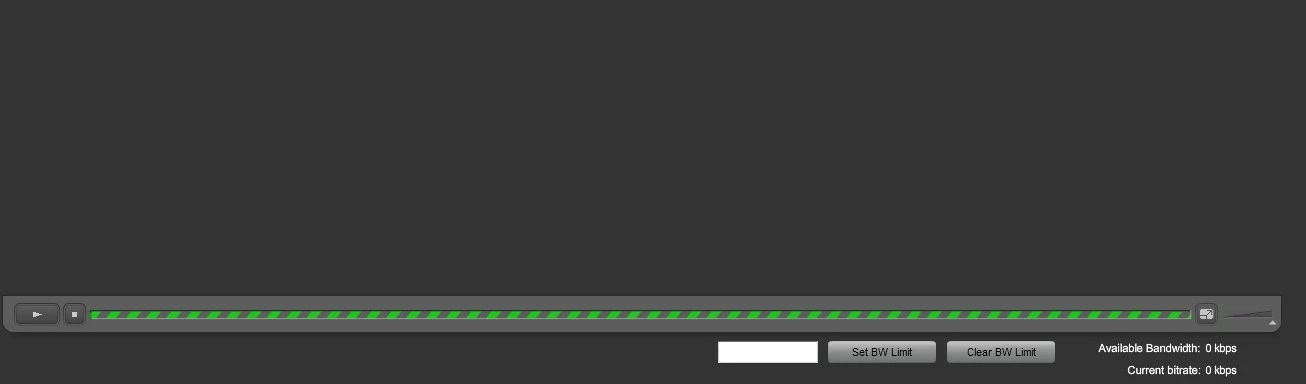
but my video player is show blank

5. in my fms_console.htm show 3 connection

Please Help.. Thank's a lot..

    This topic has been closed for replies.
    Correct answer Nikhil_Kalyan

    Hi,

    Thank you for trying out FMS and DVR.

    Few quick points I can suggest you to try to make things work are as below :

    1. make sure the recordings are happening as soon as you start the DVR/Streaming. Go to the FMS installation directory\applicaitons\dvrcast_origin\streams\_definst_\ folder and see if you can find three streams with the name(s) you gave while starting the DVR. Make sure the streams are increasing in their size, confirming the recording of the data on to the disk. DVR functionality expects and needs the files to be recorded on the disk. If in any case you are not finding the files being recorded, you need to cross check your stream names !!

    2. For simplicity purposes, i would recommend you use the following stream names at all places :

    While publishing: mp4:livestream%i.f4v

    mp4 is required to play/publish all f4v files. %i would give the stream names as livestream1, livestream2 etc... (using %b would make the stream names as livestream350, livestream500 etc.. depending on your stream name, leading to a probable mismatch ! ).

    While playback , in the smil file, make sure you have the same stream names : mp4:livestream1.f4v and etc.

    Recordings on the disk : Make sure the files are being recorded with the name :livestream1.f4v , livestream2.f4v etc.

    3. I would recommend you start the recording (for DVR ) directly from FME itself instead of using the DVRControllerSync.swf. This swf is just an additional tool to use if you are not using FME. Since that you are using FME, while starting the publishing, make sure you select the DVR Auto Record check box in the right bottom corner. It would auto start the recording, removing the dependency on the DVRController swf.

    Please try and let us know if this helped.

    Thank you !

    1 reply

    Nikhil_Kalyan
    Nikhil_KalyanCorrect answer
    Participating Frequently
    April 25, 2011

    Hi,

    Thank you for trying out FMS and DVR.

    Few quick points I can suggest you to try to make things work are as below :

    1. make sure the recordings are happening as soon as you start the DVR/Streaming. Go to the FMS installation directory\applicaitons\dvrcast_origin\streams\_definst_\ folder and see if you can find three streams with the name(s) you gave while starting the DVR. Make sure the streams are increasing in their size, confirming the recording of the data on to the disk. DVR functionality expects and needs the files to be recorded on the disk. If in any case you are not finding the files being recorded, you need to cross check your stream names !!

    2. For simplicity purposes, i would recommend you use the following stream names at all places :

    While publishing: mp4:livestream%i.f4v

    mp4 is required to play/publish all f4v files. %i would give the stream names as livestream1, livestream2 etc... (using %b would make the stream names as livestream350, livestream500 etc.. depending on your stream name, leading to a probable mismatch ! ).

    While playback , in the smil file, make sure you have the same stream names : mp4:livestream1.f4v and etc.

    Recordings on the disk : Make sure the files are being recorded with the name :livestream1.f4v , livestream2.f4v etc.

    3. I would recommend you start the recording (for DVR ) directly from FME itself instead of using the DVRControllerSync.swf. This swf is just an additional tool to use if you are not using FME. Since that you are using FME, while starting the publishing, make sure you select the DVR Auto Record check box in the right bottom corner. It would auto start the recording, removing the dependency on the DVRController swf.

    Please try and let us know if this helped.

    Thank you !
    June 1, 2011

    Thanks a lot!!