

FMS don't read main.asc. I'm going to crazy. Somebody help me.
Hi. All.
I've search enough. and I've did my best for 3 days.
- Unfortunately, I could not solve this problem.
If you help me, you can be my sunshine.
I'm developing Text Chat App using Flex4.6 & FMS 4.5.
I wanna count how many on-line users in. I found some infomation by googling.
As a result of googling, I figured out I need SSAS(Server Side Action Script)
http://www.fmsguru.com/showtutorial.cfm?tutorialID=48
I followed what he did pecfectly. This source code is what I made.
UserCount.mxml
-------------------------------------------------------------------------------------------------------------------------------
<?xml version="1.0" encoding="utf-8"?>
<s:Application xmlns:fx="http://ns.adobe.com/mxml/2009http://ns.adobe.com/http://ns.adobe.com/mxml/2009mxml/2009"
xmlns:s="library://ns.adobe.com/flex/spark"
xmlns:mx="library://ns.adobe.com/flex/mx"
minWidth="955" minHeight="600" currentState="LogIn">
<s:states>
<s:State name="LogIn"/>
<s:State name="LoggedIn"/>
</s:states>
<fx:Declarations>
<!-- Place non-visual elements (e.g., services, value objects) here -->
</fx:Declarations>
<fx:Script>
<![CDATA[
private var nc:NetConnection;
protected function button1_clickHandler(event:MouseEvent):void{
nc = new NetConnection();
nc.addEventListener(NetStatusEvent.NET_STATUS, onNetStatus);
nc.client = this;
nc.connect("rtmp://192.168.0.5:80/livepkgr/");
}
public function setUserCount(userCount:Number):void{
userCountText.text = userCount.toString();
}
private function onNetStatus(e:NetStatusEvent):void{
if(e.info.code.indexOf("Success") != -1){
currentState = "LoggedIn";
}
}
]]>
</fx:Script>
<s:Panel includeIn="LogIn" x="10" y="10" width="250" height="200" title="Log in to my app">
<s:Button x="89" y="64" label="Login Now!" click="button1_clickHandler(event)"/>
</s:Panel>
<s:Label includeIn="LoggedIn" x="150" y="136" color="#0E55F6" fontSize="20" text="You are now logged in!"/>
<s:Label includeIn="LoggedIn" x="151" y="94" width="214" color="#8C2222" id="userCountText" text=""/>
</s:Application>
main.asc
-------------------------------------------------------------------------------------------------------------------------------
application.onConnect = function(client)
{
application.acceptConnection(client);
userCount = application.clients.length;
client.call("setUserCount", null, userCount);
}
-------------------------------------------------------------------------------------------------------------------------------
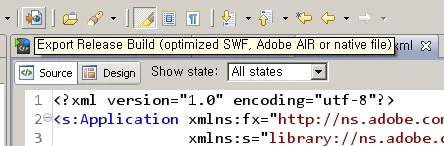
1. I released this project.
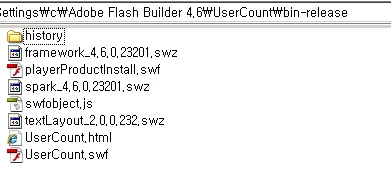
2. I got released files.
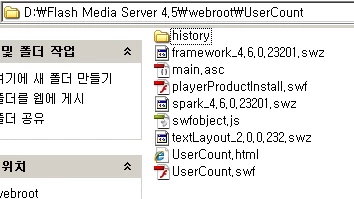
3. I copied these files to FMS's webroot and main.asc file also.
4. I connected this server by remoted PC. I could connect. And I clicked the button.
http://xxx.xxx.x.x:8134/UserCount/UserCount.html
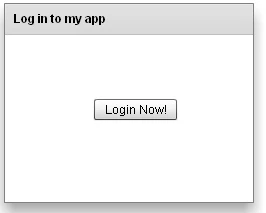
NO REACTION
5. So, I checked break-point setUserCount. This method is called by SSAS. I wanna know this method is called or not. But There's no break. That means main.asc is not working.
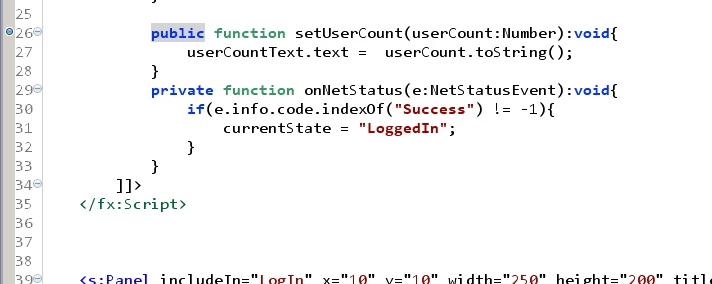
Pls let me know what is my mistake.
Thanks in advanced
Kevin.


 AdChoices