As I am also building a web player, I came across your post. Your solution sounds great
and I was hoping to also receive see a copy of you solution. I understand what you're saying
in your last post but there is nothing like seeing the final code.
Thanks in advance Sunil.
Please find below code for both Option 1 & Option 2.
Please note -
1) Use your actual variable instead of dummy.
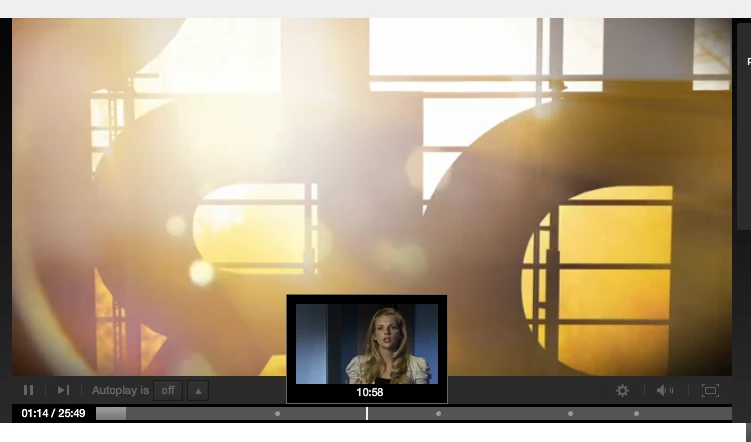
2) Position of thumbnails should be move as per mouseMove on seekBar. Get the mouse X posion and set the xpos of your thumbnail which contain either Video object or image display holder.
package {
import flash.display.MovieClip;
import flash.events.MouseEvent;
import flash.events.TimerEvent;
import org.osmf.events.TimeEvent;
import flash.utils.Timer;
import flash.net.NetStream;
public class SeekThumb extends MovieClip {
private var seekBtn:MovieClip;
private var getVideoFrameAtSecond:Number = -1;
private var durationOfVideo:Number = 100// Asume that we have 100 seconds video
private var timer:Timer;
private var counter:Number = 0;
private var delay:Number = 1; // It can be updated as per smoothness.
private var netStream:NetStream;
private var lastSeekPos:Number;
public function SeekThumb() {
// constructor code
this.addChild(createSeekButton());
timer = new Timer(200);
timer.addEventListener(TimerEvent.TIMER, updateQos);
counter = delay;
}
private function createSeekButton():MovieClip{
seekBtn = new SeekButton();
seekBtn.buttonMode = true;
seekBtn.addEventListener(MouseEvent.MOUSE_MOVE, seekMouseMove, false, 0, true);
seekBtn.addEventListener(MouseEvent.ROLL_OVER, seekOver, false, 0, true);
seekBtn.addEventListener(MouseEvent.ROLL_OUT, seekOut, false, 0, true);
seekBtn.x = 50;
seekBtn.y = 100;
return seekBtn;
}
private function seekOver(event:MouseEvent):void{
timer.start();
}
private function seekOut(event:MouseEvent):void{
timer.stop();
}
private function updateQos(event:TimerEvent):void{
//trace("counter = "+counter)
if(counter>0){
counter--;
}else{
// Enable below funtion as per your need.
//updateVideoFrame(getVideoFrameAtSecond);
//addImageOfVideoFramesAt(getVideoFrameAtSecond);// If you want to show your bitmap image then pass the bitmap image params here or customize your methods here
trace(getVideoFrameAtSecond);
}
}
private function addImageOfVideoFramesAt(seekTime:Number):void{
var getBitmapMovie:MovieClip = myStoredThumbArray[seekTime]// Set the image url here from array which you have already stored/ traced from main source of image which you provided.
previewHolder.addChild(getBitmapMovie);
}
private function updateVideoFrame(setId:Number):void {
try {
if (netStream!=null && lastSeekPos!=setId) {
lastSeekPos = setId;
netStream.play(netStreamURL, setId);
netStream.pause();
//netStream.soundTransform = setVoluem to 0
}
} catch (error:Error) {
trace("UpdateVideo Frame Error: "+error);
}
}
private function seekMouseMove(event:MouseEvent):void{
var currentMc:MovieClip = MovieClip(event.currentTarget);
getVideoFrameAtSecond = Math.round(currentMc.mouseX*durationOfVideo/seekBtn.width);
counter = delay;
}
}
}
If still you have any issue don't hesitate to contact




 AdChoices