April 12, 2013
Answered

I can see the live broadcast on the site,but other people can not view the stream !

  • April 12, 2013
  • 1 reply
  • 1025 views

I uploaded to my website html embed code (by Flash Media Server full) by Flash Media Playback ! I checked the server and found that it works! I can see the live broadcast on the site, but other people can not view the stream! What happens? I see the stream but other people do not see it. Use Flash Media Server (full) and Flash Media Live Encoder 3.2 !I inserted the html cod in the body of my site, in the index !I prewieved (cod html), i checked and its works, i can see on my site ! Thanks !
This topic has been closed for replies.
Correct answer

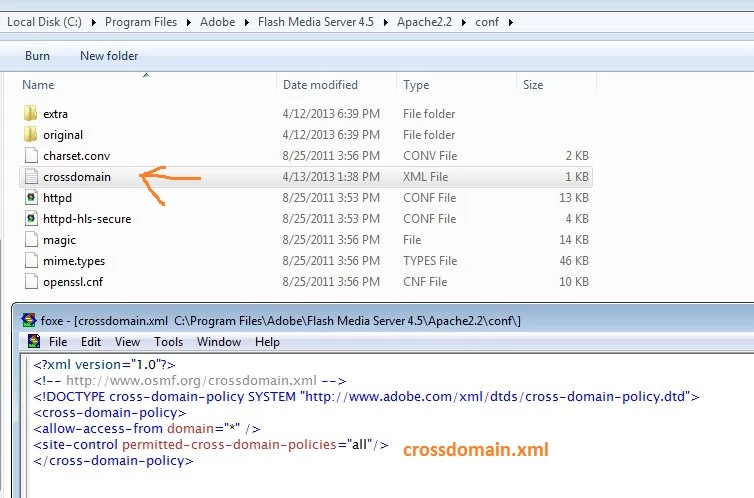
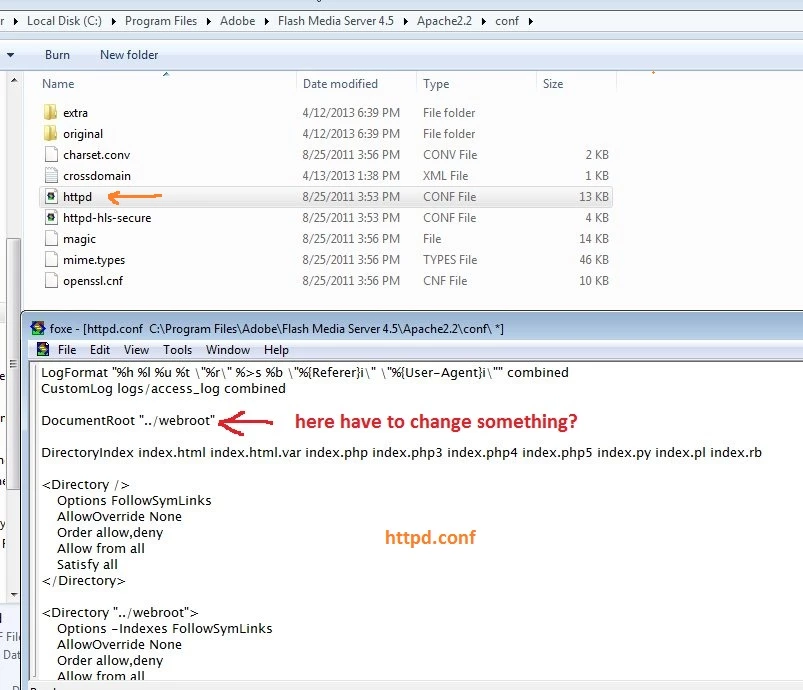
Hello, I created a crossdomain.xml file and would like to know if you have to change something in the httpd.conf file. If so, what changes and where? Thanks !


The crossdomain.xml file needs to be placed under rootinstall/webroot folder and not the Apache2.2/conf folder. There is no changes required in the httpd.conf file. Please read the "Setting crossdomain.xml file for HTTP Streaming in Adobe Media Server" section in the link provided above carefully.

Thanks,

Apurva

1 reply

April 12, 2013

Hi, Do you have a crossdomain.xml file in place on your server?

April 12, 2013

I inserted the html code in the index and then upload site! It is necessary to have crossdomain.xml? I should enter this code on my site?

  <? xml version = "1.0"?>
<! DOCTYPE cross-domain-policy SYSTEM "http://www.adobe.com/xml/dtds/cross-domain-policy.dtd">
<cross-domain-policy>
<site-control permitted-cross-domain-policies="none"/>
</ cross-domain-policy>

Complet cod htm my index is :


April 12, 2013

You require a crossdomain.xml file to be present on the server to play HTTP streams. See this for more information: http://www.adobe.com/devnet/adobe-media-server/articles/cross-domain-xml-for-streaming.html

I would suggest you try a simple crossdomain.xml file like this:

<?xml version="1.0"?>

<!-- http://www.osmf.org/crossdomain.xml -->

<!DOCTYPE cross-domain-policy SYSTEM "http://www.adobe.com/xml/dtds/cross-domain-policy.dtd">

<cross-domain-policy>

     <allow-access-from domain="*" />

     <site-control permitted-cross-domain-policies="all"/>

</cross-domain-policy>

(not recommended for production environment)

If it resolves the issue then you can create an appropriate crossdomain.xml file.

Let me know if this helps.