
Known Participant
June 29, 2010
Question

What causes phantom connections in FMS console?
  • June 29, 2010
  • 1 reply
  • 730 views

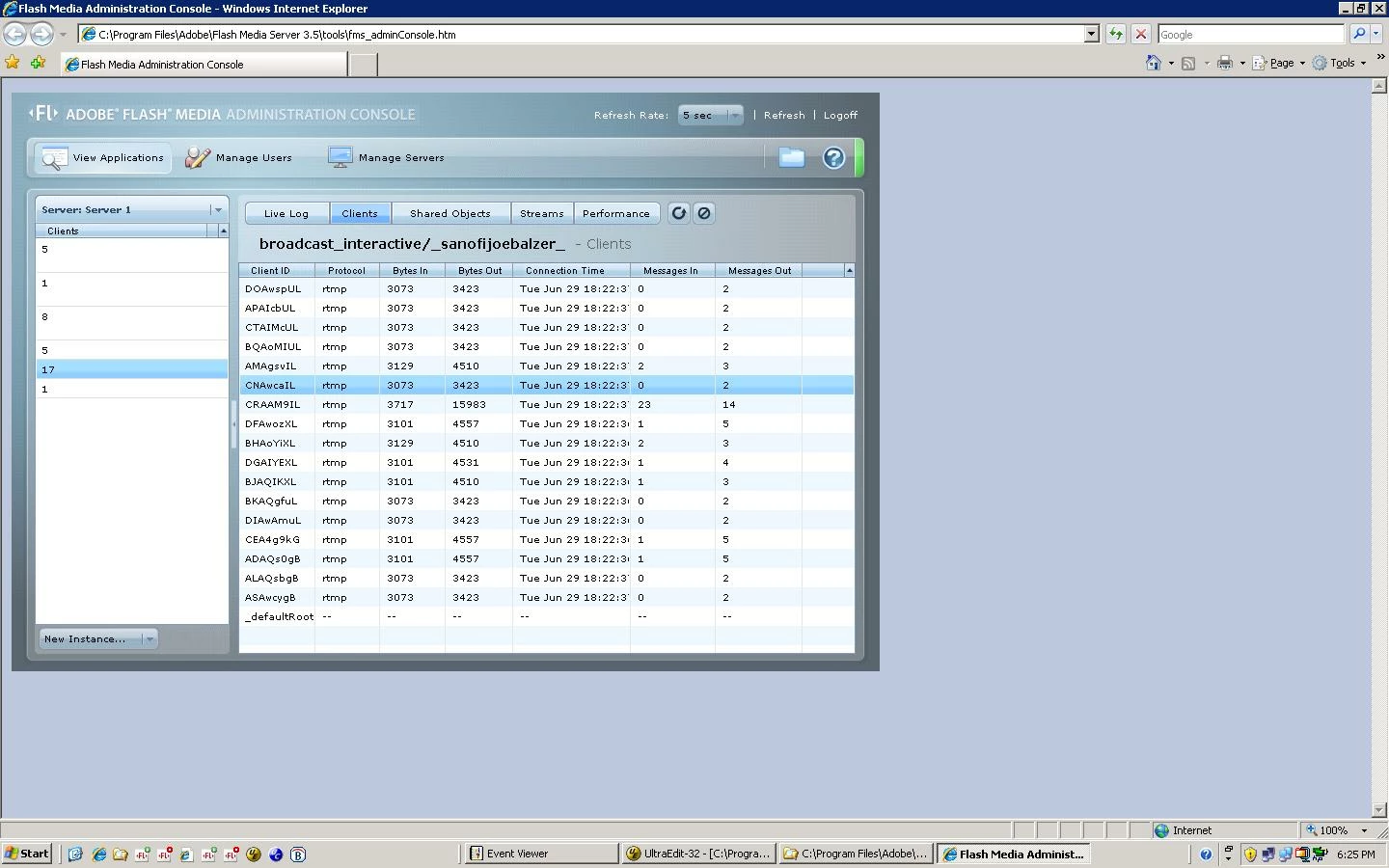
The attached image shows 17 client connections.  Unfortunately there are not 17 clients connected to that app.  In fact, I add users to a userlist shared object in application.onConnect(), and that shared object only reports 6 connections.  That is the accurate number of connected users.
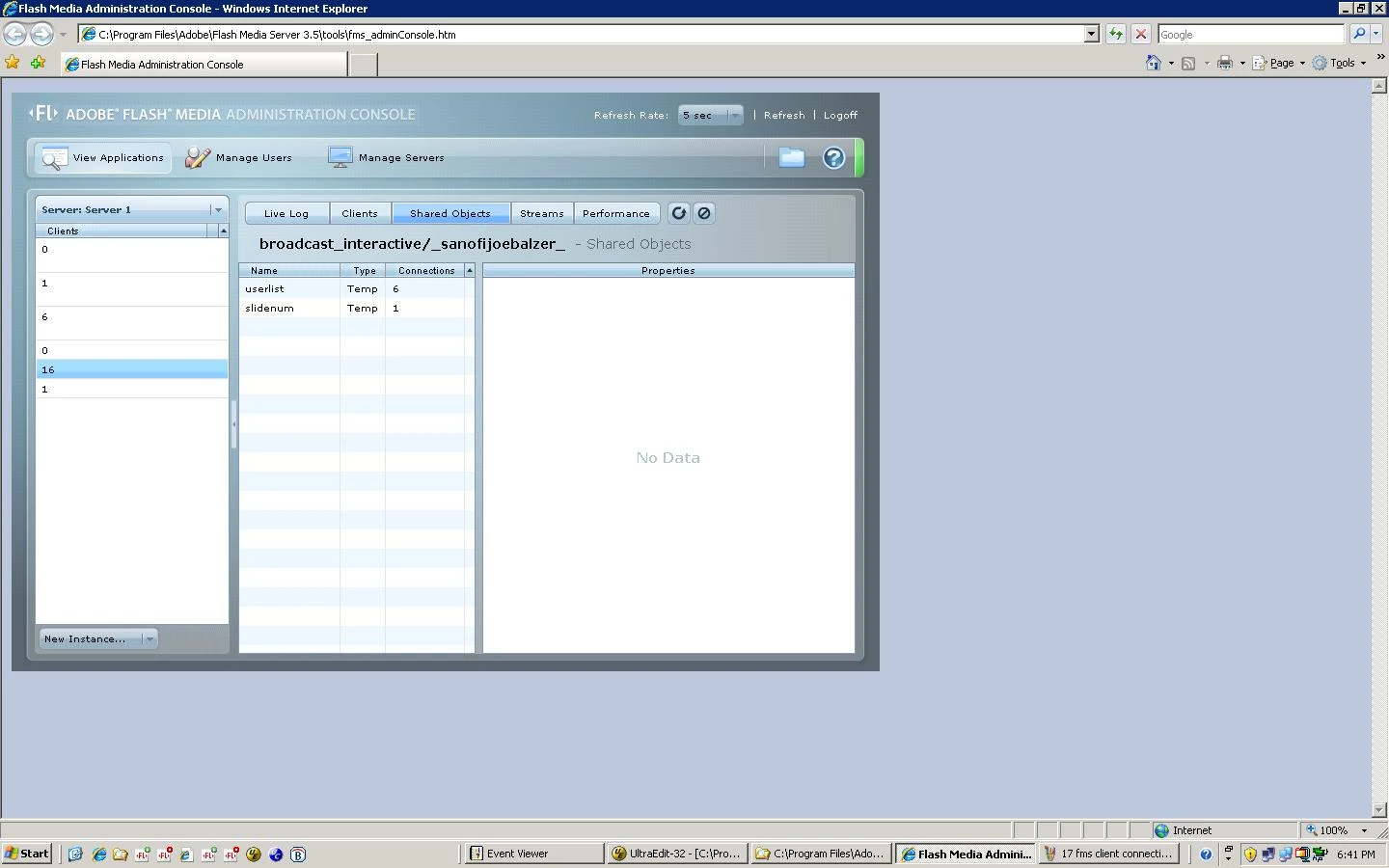
Why the phantom connections?  Even if I unload and reload the app, the 17 client connections return.

How can my userlist shared object and the client connection number be out of sync?

This situation seems to be related in some way to an FMS memory problem that is cropping up all of a sudden.  When I have larger numbers of connected clients - say 300, the client connections reported in the FMS console are ten times that - like 3,000 or more.  Then the application is unloaded by FMS for being a memory hog.

The app itself is simple.  It just stores each user in a user array and passes chat communication to and from these users.  The last time this main.asc code was changed was 2/8/2010.  No problems with it in the countless times we've used it since then.  Why the sudden phantom FMS connections, memory hog behavior, and constant unloading of the app?

Thanks

    This topic has been closed for replies.

    1 reply

    June 30, 2010

    The question about why users might not show in your userlist... there's a chance that your code might allow for it, but we won't know until your post your onConnect code.

    From this and your other thread, my understanding is that the code hasn't changed, ther FMS installation hasn't changed, and the network hasn't changed. With that in mind:

    1. Have you inspected the access logs to confirm that what you see as "phantom connections" are in fact not actual clients?

    2. Does the server seem to be consuming more bandwidth than ususal?

    3. What security measures do you have in place to prevent abuse of your application(s)?

    Known Participant
    July 2, 2010

    application.onAppStart = function()
    {
        this.usersSO = SharedObject.get("userlist", false);   
    }

    application.onConnect = function(client, uName, uType, uID, meetingID, sessionID, db) {
        application.acceptConnection(client);
       
        //Create a server side user value object
        user = new Object();
        user.ID = uID;
        user.name = uName;
        user.type = uType;
        user.meetingID = meetingID;
        user.sessionID = sessionID;
        user.db = db;
      
        //Store user
        this.usersSO.setProperty(user.sessionID, user);   
    }

    Again, given this connect code, I'd expect the console to report equivalent client connections and userlist shared object connections.  Is there something wrong with the code?

    On the access logs, yes, I've looked at them (there are many as the total connected clients for the day was over 1,000).  Just not sure what I'm looking for in them.  What did you have in mind in this regard?

    The server did not seem to be consuming inordinate amounts of bandwidth (peaks at 2 megabits).  Just chat running through that server. No A/V.

    I'm not sure what security measures are in place on that server as it's our network people who handle that.  After reviewing logs they've indicated to me that they don't see evidence of an attack.

    I can speculate on what I think occurred.  I think the memory allocated to the process was too low and I think the number of connected clients was too high.  We had one session with about 600 connected clients, and then another one an hour or so later with another 450 or so connections.  I didn't kick people out of the room after the first meeting.  Lots of them hung around.  I think the default 1024 RuntimeSize setting was too low.

    The next day we ran two similarly attended programs.  Here were the steps we took before runing them:

    1.  Installed latest FMS updates

    2.  Increased RuntimeSize setting to the Adobe recommended value of 30720 (30 MB) per http://www.adobe.com/livedocs/flashmediaserver/3.0/docs/help.html?content=08_xmlref_141.html

    3.  Pushed people out of the app after the firt session

    We did not see a repeat of the issue for the next day's meetings.  The userlist shared object connection and client connection counts reported by the FMS console were within 1 for the entire day.