
Participant
Mar 20, 2024 11:57 PM UTC
Question

[Photoshop UXP] alert and confirm modal functions stopped working after an update

Hello! I want to raise what I think is an issue I found with the Photoshop API.
In a plugin that I'm developing for Photoshop using UXP, I was relying on the alert and confirm functions (which according to the last docs I could find here should be supported) but after a certain update, they are simply not defined.
I'm still trying to track down the exact version where this stops working but having the same piece of code I can see a modal for sure in version 25.3.1:
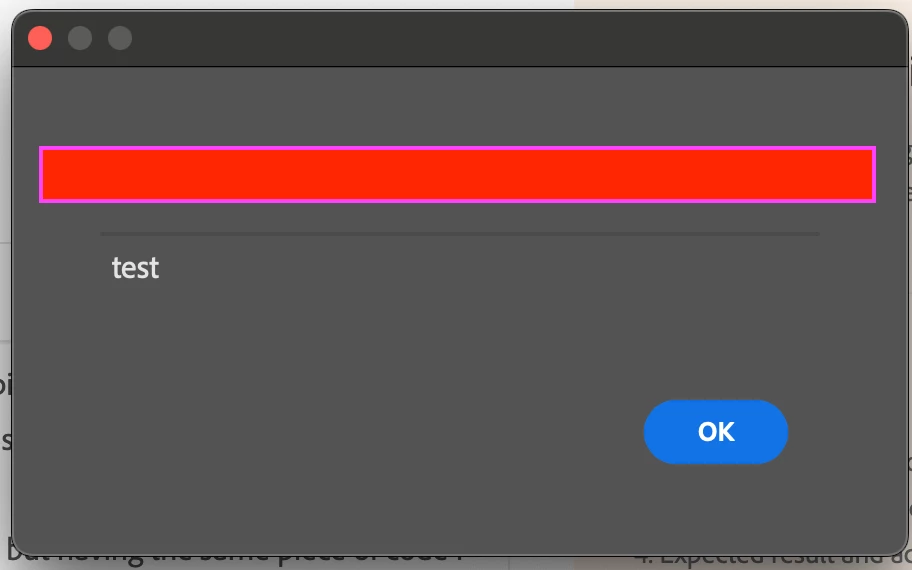
(title blurred in red just due to sensitive information)

But running the same piece of code in the current last version 25.6 I'm getting the following error:

Sadly I can't share the code I'm running due to license. I'll probably keep tracking down the version where this issue starts happening and will work on isolating the issue in a new sample plugin, just to make sure this bug is not coming from another issue in this project

This topic is closed to new replies. Start a new post to keep the conversation going.

7 replies

romani76997442
Participant
Oct 6, 2024 1:36 PM UTC

I've found the info that this is a change that came with "Photoshop Beta 25.5 (February 2024)"

  • UXP Alerts (alert, prompt, confirm) have been moved back to beta due to a few inherent instabilities in this feature. While we work on addressing these issues, the feature can be accessed using the feature flag enableAlerts in the manifest.json file. Also, note that UXP alerts will be available only in Plugins and not in scripts.


Adding the enableAlert flag in my manifest.json fixed it for me. Though it sound like this will be reverted at some point but it is not clear to me if I need to remove the manifest flag again.

Translate
Participant
Mar 21, 2024 3:16 PM UTC

True! It does work, it looks, though, like this is a different call (according to this) docs. Unfortunately, it doesn't seem that a showConfirm or any equivalent exists, so I still can't find an alternative for that

Translate
Legend
Mar 21, 2024 2:47 PM UTC

This works if run as a psjs file:

require('photoshop').core.showAlert(app.activeDocument.path);
Translate
Participant
Mar 21, 2024 1:56 PM UTC

I'm currently experiencing this same issue after updating to version 25.6.

Translate
Participant
Mar 21, 2024 1:49 PM UTC

As far as I understand UXP runs in the context of a browser VM, so running alert should implicitly call the window.alert function (notice is NOT window with a capital w), which I can imagine has a custom implementation in the context of the Photoshop application. I tested it both ways as window.alert and just plain alert and had the same result

Translate
Legend
Mar 21, 2024 1:38 PM UTC

Does this require the class name? In Extendscript the proper usage was always Window.alert() but you could use alert() and get away with it.

Translate
Participant
Mar 21, 2024 12:25 AM UTC

Well, I can confirm the last working version for these functions is 25.4. From 25.5 up to 25.6, they don't.

I tested it with this isolated project:
HTML:

<!DOCTYPE html>
<html>
<head>
    <script src="main.js"></script> 
    <link rel="stylesheet" href="style.css">   
</head>
<body>
  <sp-heading>Example</sp-heading>
  <sp-button id="button">example</sp-button>
</body>
</html>

JS:

const { entrypoints } = require("uxp");

  showAlert = () => {
    alert("This is an alert message");
  }

  entrypoints.setup({
    commands: {
      showAlert,
    },
    panels: {
      vanilla: {
        show(node ) {
        }
      }
    }
  });

document.getElementById("button").addEventListener("click", showAlert);


Translate