


Question
Photoshop UXP panel icon does not appear
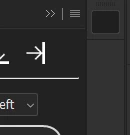
I am developing a Photoshop UXP panel plugin, but the panel icon does not appear.
The plugin itself loads correctly, but the icon for the panel is missing.
I checked my manifest.json, especially the icon settings, but I cannot figure out what is wrong.
Am I defining the panel icon incorrectly?
Here is only the relevant part of my manifest.json with private details removed:
{
  "entrypoints": [
    {
      "type": "panel",
      "id": "my-panel",
      "label": {
        "default": "My Plugin"
      },
      "icons": [
        {
          "width": 23,
          "height": 23,
          "path": "icons/panel-dark.png",
          "scale": [1, 2],
          "theme": ["darkest", "dark", "medium"]
        },
        {
          "width": 23,
          "height": 23,
          "path": "icons/panel-light.png",
          "scale": [1, 2],
          "theme": ["lightest", "light"]
        }
      ]
    }
  ],
  "icons": [
    {
      "width": 48,
      "height": 48,
      "path": "icons/plugin-dark.png",
      "scale": [1, 2],
      "theme": ["dark", "darkest"],
      "species": ["generic"]
    },
    {
      "width": 48,
      "height": 48,
      "path": "icons/plugin-light.png",
      "scale": [1, 2],
      "theme": ["lightest", "light"],
      "species": ["generic"]
    }
  ]
}
If anyone can point out what might be wrong, I would appreciate it.
 AdChoices