


fine drawing is aliased, how to fix it?
I've just started to learn PS.
I am trying to draw a light mask for a tachometer (a device that measures rotation speed). Size is whatever fits on a Letter size trasparent foil. It should look kind of like this, but with far more segments (ideally around 2000):
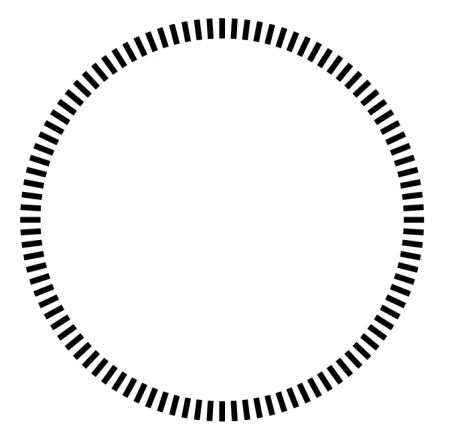
So I've tried to increase the number of segments, and then display the result in gv, but the segments look jagged:
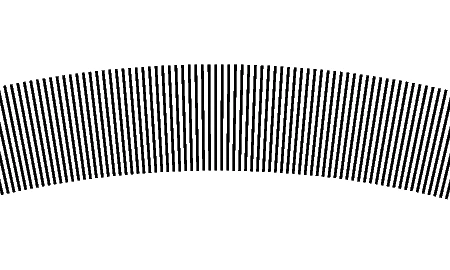
What can I do to draw and display those segments smooth? The PS file is listed at the end.
r2 is the outer radius of the diagram.
len is the length of a segment
u is the scale factor.
count is the number of segments.
Basically, I blow everything up a lot, hoping to get rid of aliasing artifacts. But that doesn't help.
%!PS
/r2 2500000 def
/len r2 10 div def
/u 0.0001 def
/count 1000 def
/ainc 360 count div def
/w 1 u div def
300 400 translate
/r1 r2 len sub def
u u scale
0.5 u div setlinewidth
0 ainc 360 {
/angle exch def
/sine angle sin def
/cosine angle cos def
/x1 r1 cosine mul def
/y1 r1 sine mul def
/x2 r2 cosine mul def
/y2 r2 sine mul def
newpath x1 y1 moveto x2 y2 lineto stroke
} for
showpage
 AdChoices