
Answered
Adobe Typekit font wont display in any browser
I am working on this site: redsky.firthwebworks.com.au and believe I have set up the kit and added the header code correctly but the font (teckton-pro) doesn't display. Any ideas?

I am working on this site: redsky.firthwebworks.com.au and believe I have set up the kit and added the header code correctly but the font (teckton-pro) doesn't display. Any ideas?
Hello there,
I'm sorry that you ran into trouble with this! You have everything set up correctly in your kit, but there is a small typo in the CSS file:
font-family: "teckton-pro",Verdana,Helvetica,sans-serif;
The font family name is Tekton Pro (no "c"). If you change the CSS to:
font-family: "tekton-pro",Verdana,Helvetica,sans-serif;
the font will be applied.
Here's a screenshot where I have made this edit in the web developer tools:
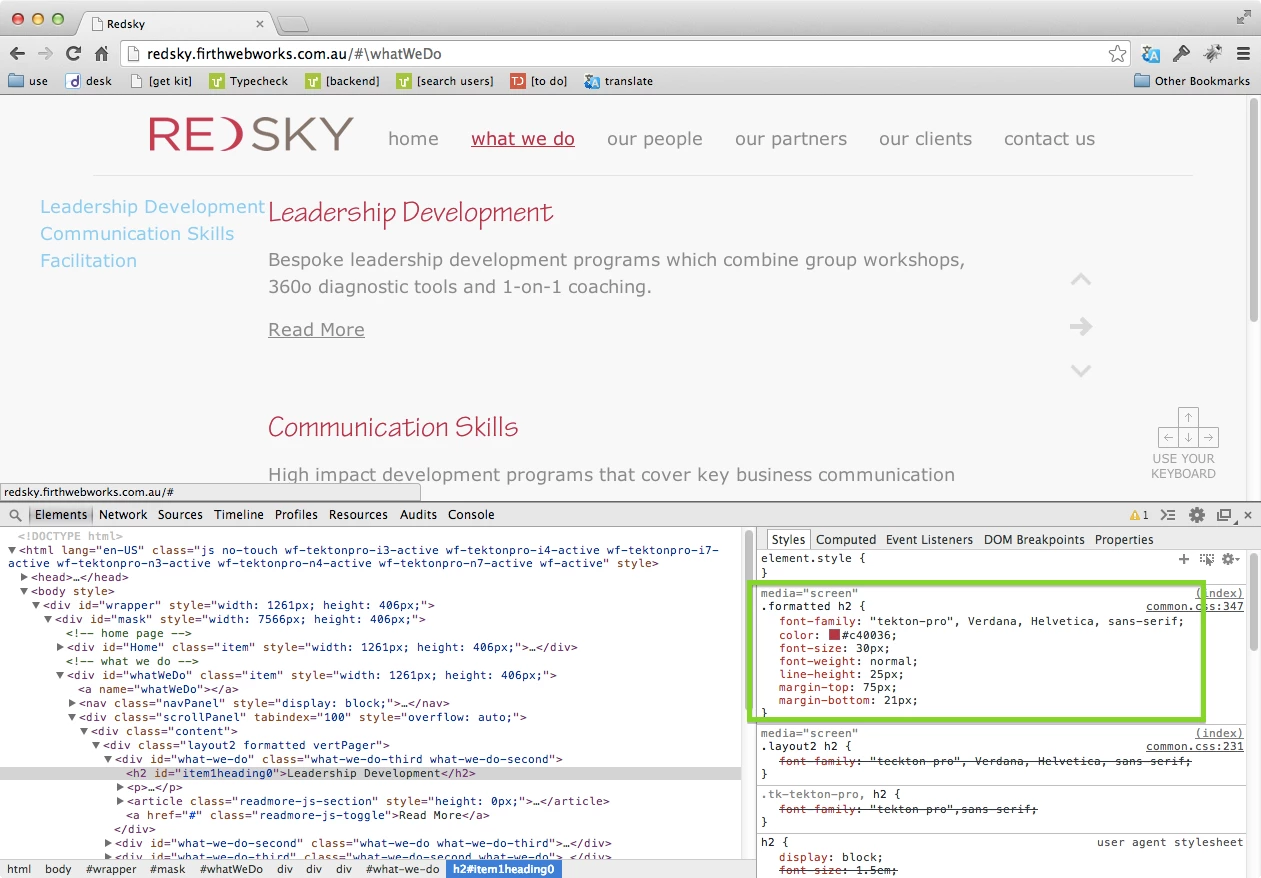
Please give that a try, and let me know if you have any other questions! best,
-- liz
Already have an account? Login
Enter your E-mail address. We'll send you an e-mail with instructions to reset your password.


 AdChoices