
Participant
February 18, 2021
Answered

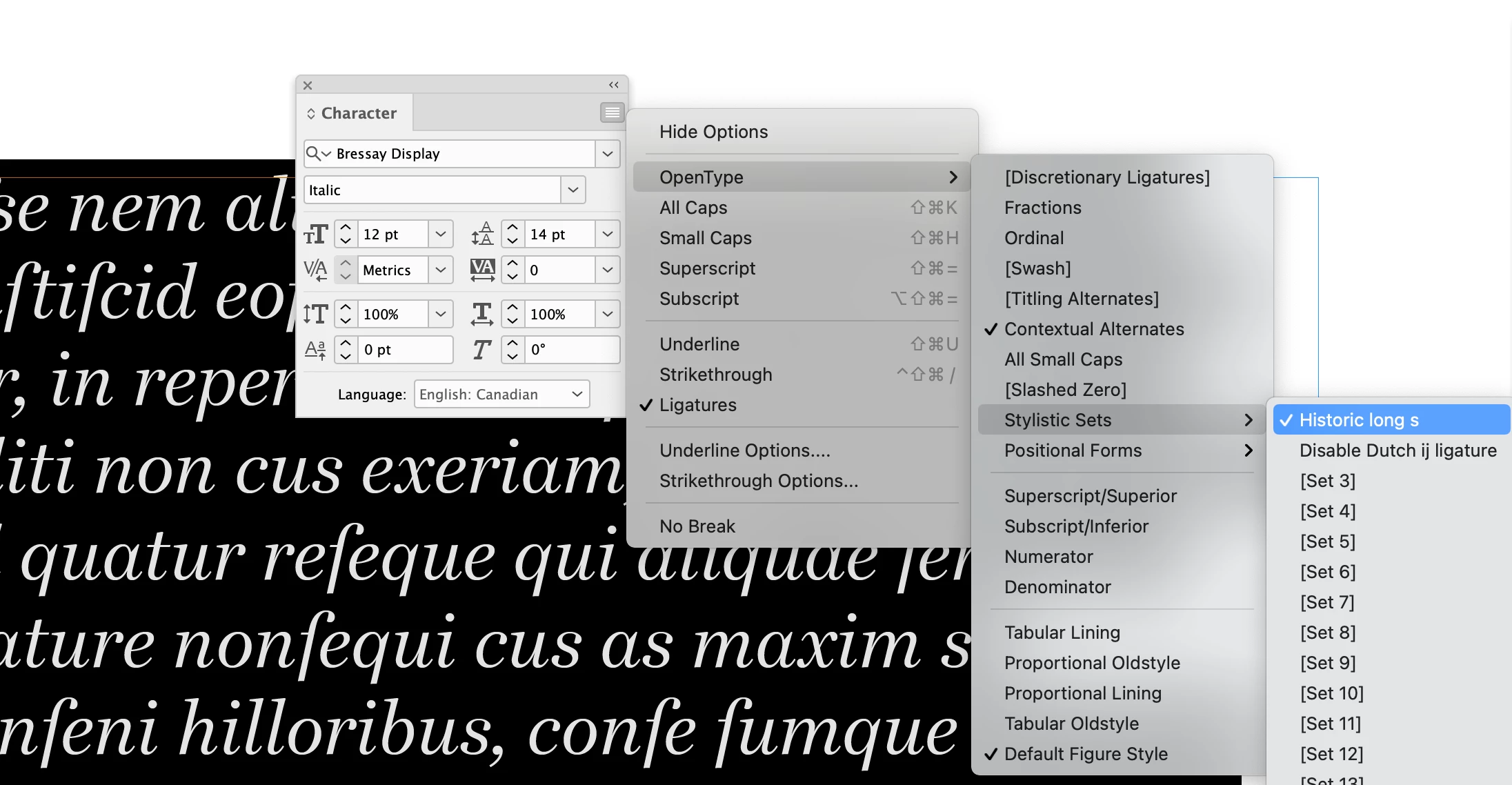
Bressay font turns "s" into "f"

  • February 18, 2021
  • 3 replies
  • 469 views

I needed a different body text font for a document that had already been created in InDesign. When I changed my paragraph style to Bressay, a font available through Adobe, I noticed that several "s" characters in my document had been changed to "f" as though it was Old English. Even typing an "s" gave me an "f". The doc was previously set in Minion - I'm guessing it was a glyph problem? Any ideas for a fix?
    This topic has been closed for replies.
    Correct answer Brad @ Roaring Mouse

    You seem to have an OpenType Stylistic Set assigned to your text. Toggle it off:


    3 replies

    Brad @ Roaring Mouse
    Community Expert
    Brad @ Roaring MouseCommunity ExpertCorrect answer
    Community Expert
    April 10, 2022

    You seem to have an OpenType Stylistic Set assigned to your text. Toggle it off:


    ducphu
    Participant
    April 10, 2022

    Thanks. Now I know everything.

    ducphu
    Participant
    March 22, 2022

    The 'f' that you're referring to, actually, is the 'Long s' (ſ), a letter used in Old English. Minion Pro uses OpenType's 'Historial Forms' to change the 's' into long s, and the 'long s' letter in this picture looks like a 'f'. I'm sure that the same thing also happens to the Bressay typeface that you're using

    Here is a picture:

    English Wikipedia article for 'long s':

    https://en.wikipedia.org/wiki/Long_s

    jane-e
    Community Expert
    Community Expert
    May 2, 2021

    Can you show a screen shot of both typefaces?

    ~ Jane