
Brickham script pro regular
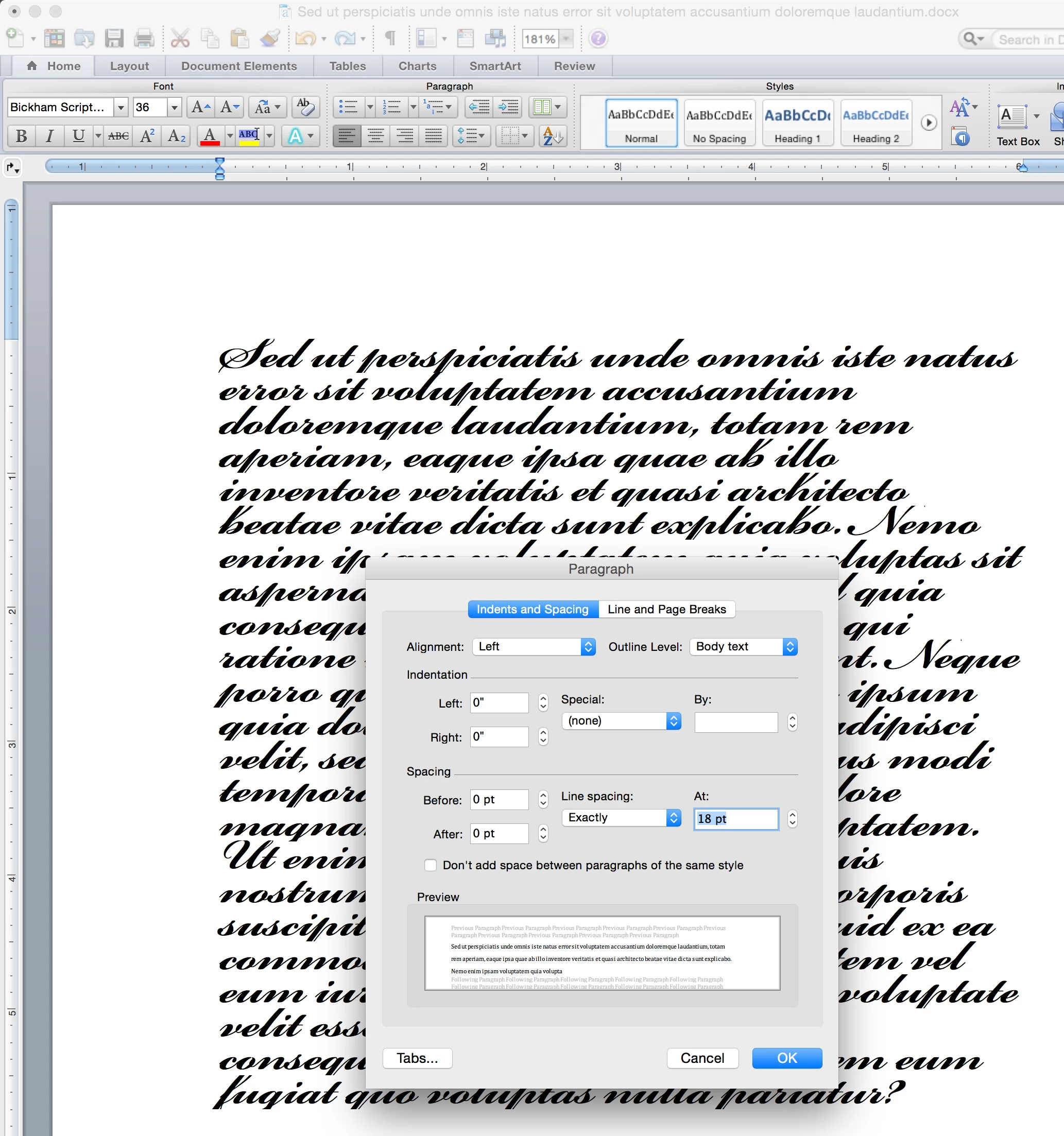
I have installed Bickham Script Pro Regular on my desktop running Windows 7. I am addressing wedding invitations. I have used this computer and printer for other weddings and never had this problem. With the Bickham Script Pro Regular I cannot get the font size/spacing correct. As I am typing this and with all other fonts I have used, the font size is very close to the cursor size. With the Bickham Script Pro Regular, the cursor is almost twice as large as what is actually typed resulting in a much bigger space between the lines. The spacing between the lines is being based on the size of the cursor and not the size of the actual font. it looks as if the lines are double spaced and I cannot get them closer. Can anyone please help me figure out what to do? I am not happy that I had to spend money on this font and now I am not be able to use it. I actually chatted last night before I purchased it and was told by the sales rep, if I had any issues with the font that I could contact technical support and he gave me the phone number. Unfortunately, that information was incorrect because technical support is not available for this issue. I appreciate any help anyone can give me. Thanks!


 AdChoices