
Question
Different weights of a font appear as separate fonts in the font list
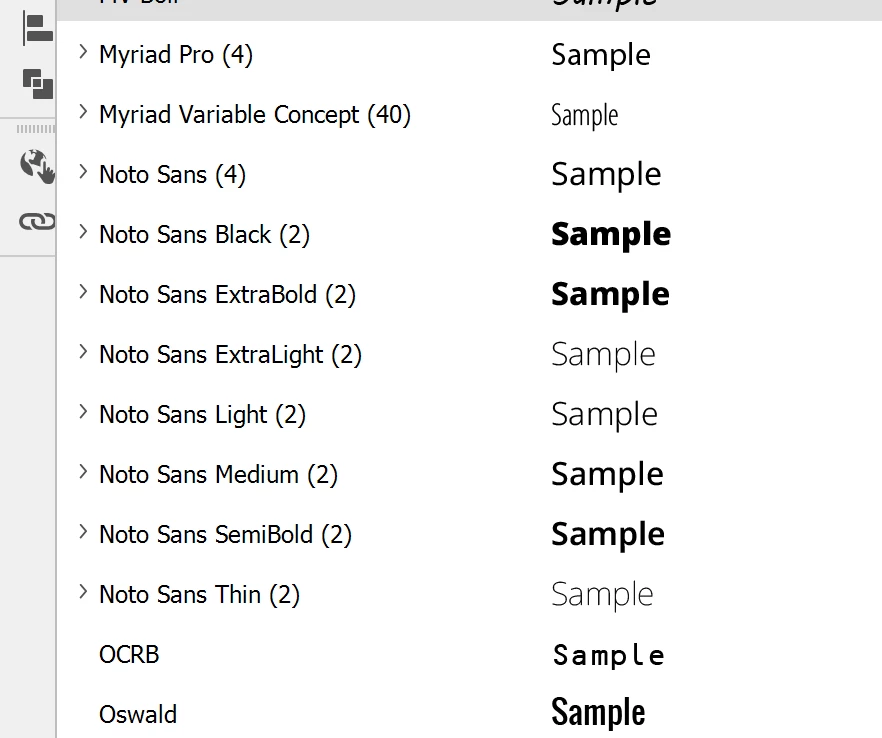
All my Adobe applications all of a sudden shares the same problem that different weights of a font aren't grouped together but appear as separate individual fonts in the font list. As shown in the picture below, Noto Sans is now identified as 8 fonts which is completely wrong. The font files were downloaded from Google and must be authenticate. This strange behaviour also applies to other fonts (e.g. Noto Sans JP, Noto Serif JP, etc.)
This is seriously affecting my work right now because I'm not able to make use of the "font weight" property to set character/paragraph styles. Please fix.


 AdChoices